





Internal linking is a real powerhouse for your SEO, but unfortunately, it's often neglected. Yet, it not only helps search engines understand your website's structure, but also strategically distributes that crucial authority – "link juice." Smart internal linking is therefore not only good for your ranking, but also guides your visitors intuitively through the site and encourages them to stay longer.
Why internal links are the true foundation of your SEO strategy
Let's be clear: Internal links aren't a "nice-to-have," but the absolute foundation of any successful SEO strategy. Many people immediately rush into building backlinks, overlooking the enormous potential right in front of them. Google uses these internal links like a map to understand your website's architecture and identify which pages are thematically related.
Imagine your website like a city. Each page is a building. The internal links? They're the roads that connect everything. Without a functioning road network, important buildings would be completely isolated and virtually invisible to visitors – and therefore also to search engine crawlers.
Distribute authority and relevance strategically
Every single backlink from an external site carries a certain authority. Internal linking is essentially a channel system that allows you to strategically direct this valuable "juice" from your strong pages (like the homepage or a viral blog post) to other important, but perhaps somewhat weaker, pages.
This way, you not only strengthen individual subpages but also raise the authority level of your entire domain. For example, if you have several articles on the topic of "content marketing" and link from all of them to your central services page, you send a clear signal to Google: "Hey, look, this page is our central hub for this topic."„
Improved crawlability and faster indexing
Google has a limited crawling budget for each website. A chaotic, illogical link structure mercilessly wastes this budget. Important content buried deep within the site architecture and poorly linked will then be found less frequently, or in the worst case, not at all, and not indexed.
Logical internal linking ensures that crawlers can easily navigate from one page to the next. The result: your content is indexed faster and more completely – especially important when you publish new pages.
Taking the user experience to a new level
Good Internal linking in SEO But links aren't just for machines; they're primarily for people. They answer your user's next logical question before they even think of it. Someone reading an article about "keyword research" is highly likely to also be interested in a guide to "content creation." A strategically placed link in the right spot creates a seamless transition and keeps the visitor on your page.
A comprehensive analysis by AuthorityHacker impressively confirms this with figures. The study has approximately 1 million internal links A study of top-ranking websites revealed a clear correlation: pages with many internal links, especially those from pages with strong external link profiles, ranked significantly better. More details on this Study on internal link optimization are really worth reading.
A well-structured internal linking strategy is therefore key to longer dwell time and a lower bounce rate. Both are strong, positive user signals that Google loves and rewards in its ranking. This transforms passive readers into active users who delve deeply into your expertise.
To summarize the advantages once again, here is a brief overview:
Advantages of an optimized internal link structure
A summary of how strategic internal linking directly supports your SEO and user experience goals.
| Advantage for SEO | Advantage for users | Concrete result |
|---|---|---|
| Targeted distribution of link authority (link juice) | Intuitive navigation and thematic guidance | Stronger rankings for landing pages |
| Faster and more complete indexing | Easier discovery of relevant content | Important pages are reliably found |
| Clear thematic signals to search engines | Better orientation and deeper engagement | Increased thematic authority |
| Strengthening overall domain authority | Reduced bounce rate and longer dwell time | Better user signals as a ranking factor |
In short: A well-thought-out link structure is a win-win situation. It makes both search engines and your visitors happy – and that always pays off in the end.
Here's how to examine your internal linking step by step.
Before you change a single internal link, we need an honest, data-driven assessment. An audit isn't an optional step, but the absolute foundation for any optimization. Without knowing exactly where the problems lie, you're groping in the dark – and that wastes time and potential.
The goal of the audit? We want to find the biggest obstacles preventing your website from ranking well. It's about uncovering the hidden errors that allow "link juice" to seep away and prevent Google from recognizing the true structure and importance of your content.
The right tools for the job
For a truly thorough analysis, you can't avoid using specialized SEO tools. Manually scouring a website with more than a handful of pages is simply impossible and extremely prone to errors. In practice, three tools in particular have proven effective:
- Screaming Frog SEO Spider: The gold standard for technical SEO audits. This desktop tool crawls your entire website, much like Googlebot, and provides detailed data on all URLs, links, redirects, and much more.
- Ahrefs Site Audit: A powerful, cloud-based tool that performs regularly scheduled crawls and immediately prioritizes identified issues. Its huge advantage lies in its seamless integration with Ahrefs' extensive backlink data.
- Semrush Site Audit: Also a heavyweight among cloud-based tools. It provides a comprehensive health check of your website and gives concrete, actionable recommendations.
For most in-depth analyses, the Screaming Frog My first choice. No other tool offers this flexibility in crawl settings and the ability to export raw data to Excel or Google Sheets for your own analysis.
Identifying the most critical problems
When crawling your website, we focus on the four most common and damaging internal linking errors. I call them the "Big Four" because they are often solely responsible for a large portion of wasted SEO potential.
The following infographic nicely illustrates how link authority ideally flows through a website and strengthens the important target pages.
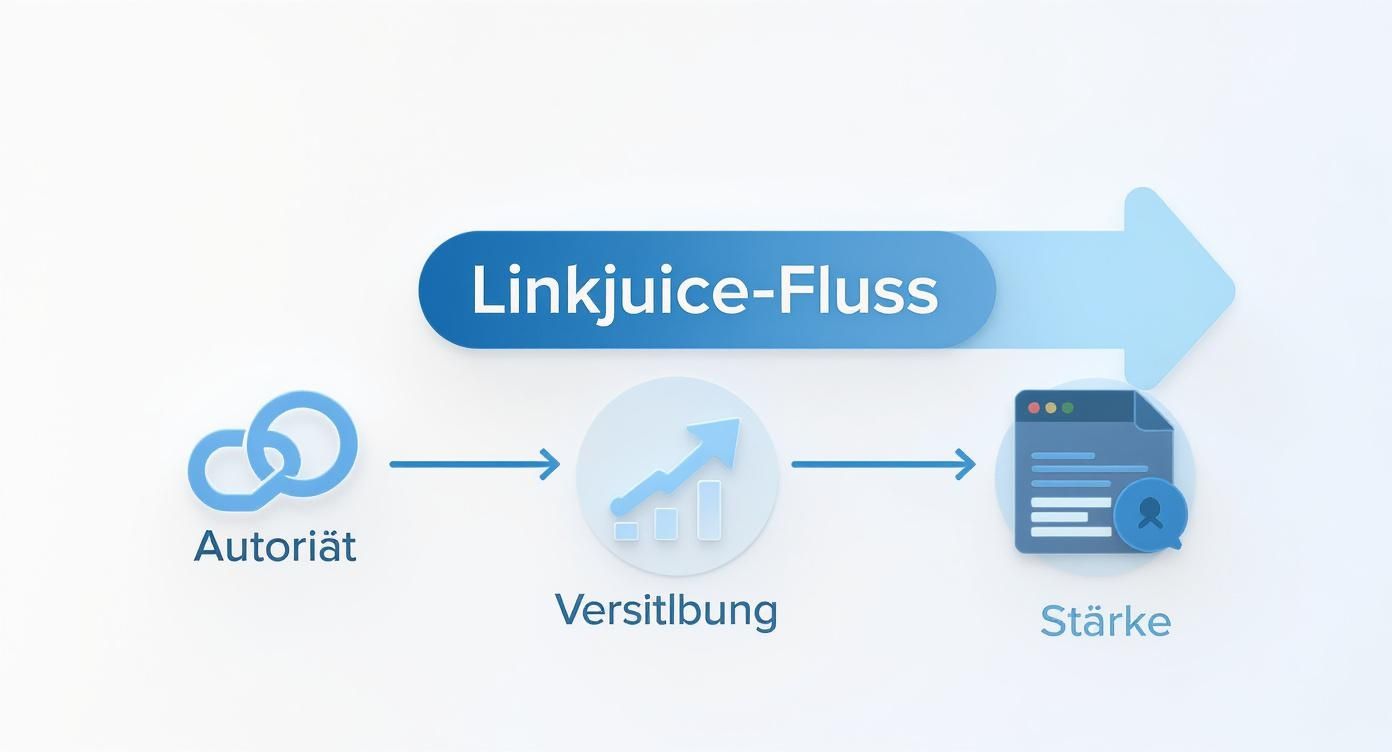
That is precisely the goal: Every link should be a conscious decision in order to direct authority specifically to where it has the greatest leverage.
Finding orphan pages
Imagine orphaned pages as deserted islands. They exist, but there's no bridge—not a single internal link—leading to them. They're virtually invisible to search engines and users. Google might eventually find them via the sitemap, but without links, they inherit no authority and are dismissed as unimportant.
The problem is more widespread than you might think. An analysis by SE Ranking came to the alarming conclusion that around 69.32% of the websites examined were % They have pages without any internal linking. This deficiency is a major obstacle for SEO and user experience. Those who want to delve deeper can find more information in these [links to relevant articles]. Insights into internal link optimization.
Pro tip: In Screaming Frog, you can detect these pages by combining the crawl with data from your XML sitemap and Google Analytics. Any URL that appears there, but is not in the crawl report, will be flagged. zero „inlinks“ It is an Orphan Page.
Find pages with too few inbound links
Not quite as dramatic as orphaned pages, but still a real problem: important pages that only have one or two internal links. This sends a very subtle signal to Google. Your most important pillar pages, shop categories, or high-converting product pages should be linked to from numerous relevant subpages to reinforce their importance.
In Screaming Frog, simply sort the results by the column „"Inlinks"“. This way you can see at a glance which URLs are being neglected.
Fix broken links (404 errors) and redirect chains
Every internal link that leads to a 404 error page ("Page not found") is wasted link authority and a frustrating dead end for your visitors. Similarly inefficient are redirect chains (i.e., page A links to page B, which then redirects to page C). Each additional "hop" in this chain dilutes the power being passed on.
Here's how to find the culprits in your crawl report:
- Broken links: Filter by status code „404“.
- Redirects: Look for status codes such as „301“ or „302“.
The solution is simple: Correct these links so that they point directly to the final target URL with the status code 200. Especially in the case of the WordPress SEO optimization There are fantastic plugins that automatically detect such problems and make fixing them child's play.
Analyze click depth
Click depth (often called "crawl depth" in English) indicates how many clicks a user (or the Googlebot) needs from the homepage to reach a specific page. The rule of thumb is simple: important pages should have the lowest possible click depth, ideally... less than 4 clicks.
If your most important content is buried deep in the site structure, it signals to Google that it's probably not that important. You also risk being visited less frequently by crawlers.
Screaming Frog shows the „Crawl Depth“ For each URL, sort the list and critically check whether your revenue-generating pages are quick and easy to reach. If not, you need to link to them from more prominent, higher-level pages.
Build a logical architecture with content silos
A flat site hierarchy, where important pages are just a few clicks away from the homepage, is already half the battle. But if you really want to be a leader in your niche, we need to go a step further and group your content thematically. That's precisely what the concept of content silos (often also called topic clusters) was developed for.

A content silo is essentially a clever way to organize your website structure. Instead of scattering content on a topic haphazardly across the site, you group it into a clean, logical structure.
By bundling this data, you send an unambiguous signal to Google: "Hey, for this "We are the absolute authority on this topic."“
The anatomy of a content silo
A high-performing silo always consists of two key components that work hand in hand. For the whole thing to be successful, you need to plan both parts strategically from the very beginning.
This is how the structure is set up:
- Pillar Page: This is your central hub, the heart of the topic. A pillar page comprehensively covers a broad core topic while remaining on a high-level level. It's the linchpin to which all other related content refers.
- Cluster Content (Supporting Content): These are the specialists. Detailed articles that each address a very specific aspect of the core topic and delve into it in depth.
The real magic, however, comes from the linking. Each individual cluster article links directly back to the central pillar page. In turn, the pillar page points to the relevant cluster articles to guide users who want to dig deeper.
This creates a self-contained thematic world. The "link juice" flowing from external or other internal pages to any part of the cluster is cleverly distributed within this silo and concentrated on the pillar page. This greatly strengthens its authority.
A practical example from the fitness sector
Imagine you run a website for fitness equipment and want to position yourself as a treadmill expert. Simply churning out a few blog posts won't get you very far. Instead, we'll build a strategic content silo.
Your Pillar Page:
The column page could be the ultimate "treadmill buying guide". This guide covers everything a potential buyer needs to know – from motor types and cushioning systems to training programs.
Your cluster content:
To strengthen this central guide, you will now create a series of specialized articles that cover very specific questions and niches:
- „"The 5 best treadmills for beginners among 500 €“
- „"Instructions: How to properly maintain your treadmill"“
- „"Advanced treadmill workout for fat burning"“
- „"Foldable treadmills put to the test: Perfect for small apartments"“
- „"HIIT vs. continuous running on the treadmill: Which is more effective?"“
Each of these cluster articles links back to the pillar page with relevant anchor text such as "comprehensive buying advice" or "more information in our treadmill guide." Simultaneously, the pillar page links from the respective sections to these in-depth, specialized articles. The result is a powerful thematic unit.
This structured approach is a cornerstone of any successful strategy for Internal links for SEO. It's the foundation if you want a well-thought-out plan. Develop a content strategy you want to convince both users and search engines alike.
The advantages of the silo structure
Building content silos is far more than just digital cleanup. It offers tangible SEO benefits that directly impact your rankings and traffic.
Here are the 3 Key advantages at a glance:
- Combined thematic authority: Instead of spreading your expertise across dozens of unconnected pages, you focus it on a single, thematic area. This allows Google to understand much faster that you are a true expert on that topic.
- Improved crawling and understanding: Your site structure suddenly becomes crystal clear to search engine crawlers. They effortlessly recognize the thematic connections and immediately understand which pages within a topic are the most important.
- Efficient distribution of link authority: Incoming link juice circulates highly efficiently within the silo and is specifically directed to the most important page – the pillar page. This boosts precisely the page that should rank for the valuable, broad keywords.
The art of the perfect anchor text for internal links
Anchor text is the heart of your internal linking – and frankly, one of the strongest signals you can send Google about the content of a landing page. A well-chosen anchor text tells users and crawlers at a glance what to expect on the other side of the page. That's precisely why a well-thought-out anchor text strategy isn't just a "nice-to-have," but absolutely crucial for your SEO success.
The trick isn't to stubbornly use the same keyword over and over again. Quite the opposite. A natural and truly effective strategy thrives on variety and context. Google is now smart enough to understand semantic relationships. Those who overdo it with exact keywords risk being penalized for over-optimization – and thus achieve precisely the opposite of what they intended.

It's all about the mix: Different anchor text types
Instead of focusing on a single type of anchor text, you should aim for a healthy mix. Each type has its own justification and contributes to a link profile that appears authentic to search engines.
Here are the most common variations:
- Partial-match anchor: These contain a variation of your keyword. Instead of simply writing "internal linking SEO," you could link to a "Guide to SEO Linking." This not only sounds more natural but also helps you rank higher for a wider range of search queries.
- Fire-related anchors: Phrases like "according to our guide" or "more information at SEO-Küche" strengthen your brand. They are essential for building brand authority and being perceived as an expert.
- Exact-match anchor: Here you use the exact keyword for which you want the target page to rank. Use this approach sparingly, like a spicy seasoning – selectively and strategically. Ideally, only on your most important pages to solidify their thematic relevance.
- Generic anchors: Phrases like "click here" or "learn more" have no place in body text. They provide Google with no thematic information. However, they are common and perfectly acceptable in call-to-action buttons.
Diversifying your anchor texts is not an optional extra, but a protection against over-optimization. This creates a link profile that appears authentic and trustworthy to search engines, instead of appearing artificial and manipulative.
Context is king
A good anchor text only unfolds its full effect in the right context. The text surrounding the link provides Google with additional, valuable context.
A bad example:
For more information on search engine optimization, Click here. (Generic, lazy, and absolutely meaningless.)
A good example:
A detailed Keyword Research Guide This is the first step to finding the right topics for your target audience. (Descriptive, keyword-optimized, and a real help to the reader in context.)
If you have an audit of your Internal links for SEO Analyzing the anchor text is a key step in the process. Tools such as... Ahrefs or the Screaming Frog SEO Spider You can easily export all internal anchor texts. Look specifically for patterns: Are you using the same anchor too often for different pages? That's a classic way to cannibalize keywords. Or are you using too many meaningless filler words? That's wasted potential.
Comparison of anchor text types and their use
This table gives you a quick overview of the different types of anchor text and how best to use them.
| Anchor text type | Example | SEO effect | When to use it? |
|---|---|---|---|
| Exact Match | „internal linking SEO“ | Very strong relevance signal | Be economical on the most important landing pages |
| Partial Match | „"Guide to SEO link building"“ | Strong, but more natural signal | Often used in the running text for variation |
| Fire-related | „"Our SEO Kitchen Guide"“ | Strengthens brand authority | To promote one's own brand |
| Generic | „Read more“ | No thematic signal | Mainly in buttons, avoid in text |
Ultimately, it's about finding the right balance. Every link should primarily serve the user. If the anchor text is clear, descriptive, and relevant to the context, then it's generally also good for SEO. Just remember: what's good for the user is almost always good for Google, too.
Internal links for advanced users – avoiding typical mistakes
Anyone who has mastered the basics of internal linking will sooner or later reach a point where the finer points come into play. And this is precisely where the wheat is separated from the chaff. Now it's no longer just about..., whether one links, but therefore, How, where And with what strategic goal? We want to control link authority with surgical precision while avoiding the pitfalls that ruin many good SEO approaches.
For Google, for example, it makes a huge difference whether a link is in the main menu or points to something within a thematically relevant paragraph. While menu links outline the basic architecture of the website, contextual links often carry more weight. Why? Because the surrounding text provides valuable thematic signals that an isolated menu item lacks.
Direct link juice specifically to high-revenue pages
One of the most important tasks is to direct link power to where it has the greatest value for your business – to your "money pages." These are typically your product pages, your service presentations, or key thematic pillar pages.
Don't distribute links indiscriminately. Instead, identify the pages on your website that already have a strong external link profile. These are your authority hubs. From precisely these pages, you should then create targeted, contextually relevant links to your revenue-generating landing pages.
An often underestimated trick is combining crawl data with real user data. In practice, it has proven effective to perform a crawl using tools such as... Screaming Frog to drive and combine the data with that from Google Analytics. This way you can find pages that already attract a lot of organic traffic, but hardly pass on their authority internally. These are true goldmines! A link from such a page to one of your money pages not only directs link authority, but also real traffic exactly where it can generate revenue. How to Google Analytics and Screaming Frog combined, is a good starting point for uncovering such potential.
A single link from a highly frequented, thematically relevant page can be more valuable than ten links from barely visited subpages. The quality and strategic placement of each link are paramount.
The no-go list for internal linking
Avoiding common mistakes is just as important as taking the right measures. Certain blunders can actively undermine your SEO success and simply confuse search engines.
Here are the most common mistakes you should definitely eliminate from your repertoire:
- Keyword cannibalization through anchor text: This happens when you use the same exact anchor text to target two or more different Linking to other pages is problematic. Google then doesn't know which page is most important for that keyword. The result: often both pages end up ranking lower.
- Neglecting no-index pages: Any link that leads to a page containing the
noindexLinking a link with a `<link>` tag (e.g., login pages, internal search results pages) is wasted link authority. The "link juice" dissipates at this point. If such a link is absolutely necessary for user navigation, it should at least display the `<link>` tag.rel="nofollow""-Attribute received. - Disregard for user guidance: If you internal links SEOOver-optimizing technically while losing sight of the user does more harm than good. A link that appears out of nowhere and disrupts the reading flow frustrates the visitor. This leads to negative user signals such as high bounce rates, which Google also registers.
The dilemma with the nofollow attribute
A few years ago, it was a popular SEO tactic to manipulate the PageRank flow with the rel="nofollow""The `PageRank` attribute was internally "modeled." This was called "PageRank Sculpting." The idea was to exclude unimportant pages from inheriting link authority, so that more power remains for the important pages.
This tactic is long outdated. Google now distributes a page's authority across multiple sources. all outgoing links – regardless of whether follow or nofollow. The proportion that is allocated to a nofollowThe link is removed; it simply disappears into oblivion.
When is nofollow So, is it still relevant internally today?
Actually, only in very few exceptional cases. For example, with links to login areas or other pages that are irrelevant for crawlers but must be accessible to the user at that point. 99 % However, the clear rule applies to their internal links: keep your hands off them. nofollow-Attribute.
Avoiding these common mistakes lays the foundation for a robust and effective link structure. A clean, logical, and above all, user-oriented approach will always be rewarded by search engines in the long run.
Frequently Asked Questions about Internal Linking (FAQ)
In SEO practice, the same questions about internal linking come up again and again. To make your work easier, I've compiled the answers to the most common uncertainties here – precise, direct, and practical.
Often, the question revolves around the "right" number of links or how to handle specific page types. Let's clarify these points once and for all so you can optimize your internal links with a clear strategy.
How many internal links should a page have?
The short answer: There is no magic number. The correct answer: As many links as are useful and helpful to the user. Forget Google's old "100-link rule"—it's long outdated and irrelevant for modern websites.
The focus should always be on placing links where they provide real added value and lead to relevant, further information. A long, well-researched guide can easily 20–30 useful internal links Included. A short landing page might only need two or three.
Relevance always trumps sheer quantity. A single, perfectly contextualized link is more valuable than ten random links in the footer. Ask yourself about every link: "Would a real user want to click here to learn more?"„
Should I link to no-index pages?
Generally, this isn't a good idea. Every link distributes a portion of your site's authority, often referred to as "link juice." If you "waste" this authority on a page that isn't intended to rank anyway (such as login pages, the shopping cart, or internal search results pages), it will be missing where it's truly needed.
If a link is unavoidable for user guidance at a certain point, you can... rel="nofollow""Use the `-` attribute. This signals to Google that you don't want to pass on any ranking authority to this link. But first, critically examine whether this page really needs to be on Google. noindex Is the link available and absolutely essential for the user?
What is the difference between contextual links and navigation links?
Both types of links are essential for a clean website structure, but they fulfill very different tasks.
- Navigation links: This is the basic structure of your website. You'll find it in the main menu, the footer, or a sidebar. It provides the fundamental orientation and architecture.
- Contextual links: You place these directly within the body text, right in the middle of the content. Google generally rates these links as particularly thematically relevant because the surrounding text provides crystal-clear context for the link destination.
A clever strategy combines both: navigation links for the overall structure, contextual links to build targeted thematic depth and strengthen important subpages.
How quickly will I see results after optimization?
This depends heavily on the scope of your changes and the crawling frequency of your website. Realistic expectations are invaluable here.
Minor adjustments, such as fixing a few broken links or adding some new ones, can send positive signals after the next Google crawl. This can become visible in the Google Search Console within days or a few weeks.
For a major overhaul, such as introducing content silos or a complete restructuring, we're talking about several weeks to months before the full impact is reflected in rankings. SEO is a marathon, not a sprint. Keep an eye on the indexing rate and click-through rates in Search Console to measure progress.
You want to unlock the full potential of your internal linking, but don't have the time to take care of it yourself? LinkITUp is your experienced partner for sustainable SEO strategies. We help you to strategically increase your visibility. Arrange a free consultation today.