





Every successful SEO strategy stands or falls on its technical foundation. A sound technical foundation technical SEO analysis It's not just a "nice-to-have," but the absolute foundation. It ensures that search engines like Google can find, understand, and index your website in the first place—the basic requirement for appearing in search results. Without this solid technical foundation, even the best content remains invisible.
Why clean technology is the foundation of your SEO success
Imagine you have a fantastic brick-and-mortar store with top-notch products, but the entrance is tiny, hard to find, and the aisles are a maze. That's exactly what happens online when you produce great content but neglect the technical aspects of your website. technical SEO analysis It's like an inspection by an architect: it ensures that Google & Co. can not only get in, but also find their way around effortlessly.

Technical SEO isn't a one-off task, but an ongoing process. Algorithms evolve, new technologies emerge, and your website grows. Without regular checks, errors can quickly creep in, quietly but effectively sabotaging your visibility.
A typical real-world scenario
An e-commerce shop for sportswear was stuck. Organic traffic stagnated for months, even though the team diligently uploaded new products and blog articles. They invested a lot of passion in content, but visitor numbers remained frustratingly low.
Only a deep technical analysis revealed the real obstacles:
- Incorrect canonical tags: Due to a misconfiguration in the shop system, hundreds of product variations pointed to themselves instead of linking to the actual main product page. The result? Massive duplicate content that completely confused Google.
- Slower Largest Contentful Paint (LCP): Huge, uncompressed product images on the category pages led to loading times of over four seconds. Many users had already left before the page had even finished loading – a disastrous signal for Google.
- Orphan Pages: Some of the best how-to articles had very few internal links. As a result, they were rarely visited by Googlebot and couldn't reach their full potential.
Such problems are anything but rare. A recent study shows that 36 % of all German websites at least one page has a 4XX error, which severely disrupts indexing. Another widespread problem is a lack of JavaScript minification, which is present in approximately... 50 % of the websites occurs. The good news: Companies that fix such technical flaws have been able to increase their organic traffic by up to 20 % to increase. You can find more information about such SEO statistics and their significance on [website/platform name]. seranking.com.
Technical SEO creates the conditions that allow your content and strategic efforts to bear fruit. It's the language you need to speak so that search engines will listen to you.
Ultimately, the technical health of your website impacts everything: from indexability and user experience to your conversion rates. Regular technical audits are therefore not a luxury, but simply a necessity to remain competitive and unlock your website's full potential.
The crucial areas of your technical analysis
A thorough technical SEO analysis isn't rocket science, but rather a systematic examination. Think of it like a vehicle inspection for your website: We go through a series of critical areas that together form the technical framework. The goal is to ensure that search engines like Google can not only find and understand your content, but also rank it positively.
The most important thing is that every area is interconnected. Weaknesses in one part can completely negate the strengths of another. That's why we always start with the absolute foundation: crawlability and indexability. If that's not right, everything else is practically useless.

Before we delve into the details of each checkpoint, this table provides a quick overview. It highlights the key areas and helps you set the right priorities from the start, depending on where the biggest problems lie.
Key areas of technical SEO analysis and their priority
An overview of the most important areas of technical analysis, ordered according to their immediate impact on ranking and user experience.
| Area of analysis | Focus point | Most important tool | priority |
|---|---|---|---|
| Crawlability & Indexing | Blockages in robots.txt, noindex-Tags, Server error (5xx) | Google Search Console | Very high |
| Side architecture | Click depth, internal linking, orphaned pages | Screaming Frog | High |
| Core Web Vitals | LCP, INP, CLS – Loading time and user interaction | PageSpeed Insights | High |
| Mobile-First | Responsive design, readability, clickability on mobile devices | Mobile-Friendly Test | Very high |
| Structured data | Schema.org implementation for rich snippets | Schema Markup Validator | Medium |
| Sitemap & Robots.txt | Correctness, completeness, no unintended rules | Google Search Console, Screaming Frog | High |
| Log file analysis | Real crawler behavior, crawl budget usage | Log file analyzer (e.g. Screaming Frog) | Intermediate (Advanced) |
This prioritization is, of course, a guideline. During a relaunch, architecture might take center stage, while for a slow website, Core Web Vitals might be the highest priority. But as a rule of thumb, this classification is extremely helpful.
Ensure crawlability and indexing
Let's start with the basics. Crawlability Simply put: Can the Googlebot access your URLs, or is something blocking it? Indexability The next step is: Is Google allowed to include the page in its massive index after crawling it? Only what's in the index can rank. Period.
This is often where the most insidious errors lurk. A misconfigured robots.txt file It can make entire sections of your website invisible in a flash. Imagine a line like Disallow: /blog/ It accidentally excludes all your valuable items from being crawled. A complete disaster.
Just as dangerous are the Meta robot tags. A small noindex On an important category page – perhaps a leftover from the testing phase before the relaunch – the page disappears completely from the search results. This happens more often than you'd think.
Your very first task in any technical analysis is: Find and remove any unintentional barriers for search engines. Check the robots.txt file and specifically search for...
noindex-Tags on pages that are intended to rank.
Optimize the architecture of your website
Good website architecture is like intuitive signage in a large department store. It guides users and search engines effortlessly to their destination. A flat hierarchy is almost always the best choice here – meaning your most important pages are accessible from the homepage with just a few clicks.
The internal linking This is your most important tool. It not only distributes link equity (some call it "link juice") to your site, but also shows Google which pages are thematically related and which are particularly important. A blog post about "running shoes for beginners" simply has to link to the relevant product pages for entry-level models.
"Orphan pages" are a definite no-go. These are pages without internal links, floating like lonely islands in the ocean of your domain. The Googlebot has difficulty finding them, or in the worst case, can't find them at all.
Mastering Core Web Vitals and Page Speed
User experience is no longer a soft factor, but a hard ranking factor. Google's Core Web Vitals This is exactly what it measures: How fast and smooth does your website feel to a real user?
These three metrics are crucial:
- Largest Contentful Paint (LCP): How long does it take for the largest visible element to load? A high LCP value practically screams "This page is slow!" in the user's face.
- First Input Delay (FID) / Interaction to Next Paint (INP): How quickly does the page respond to clicks or input? INP is the newer, more meaningful metric here, which is slowly replacing FID.
- Cumulative Layout Shift (CLS): How stable is the layout when loading? Nothing is more annoying than elements that suddenly jump around just before you want to click on them.
Optimizing these metrics is a must for any modern technical SEO analysis. The usual suspects are huge, uncompressed images, too much JavaScript, or a sluggish server. If you want to dig deeper, check out our guide on... Google Core Web Vitals Okay, let's go into detail.
Embracing the mobile-first world
The reality is: most searches take place on smartphones. Therefore, Google primarily evaluates your website based on its mobile version. That's the principle of... Mobile-First Indexing. Your website needs to look good not only on desktop computers, but especially on mobile phones.
Responsive design is absolutely essential. But it's about more than that: Is the text easy to read? Are the buttons large enough and not too close together? Is all the important content also available on mobile devices? Tools like Google's "Mobile-Friendly Test" can give you a quick initial assessment.
Other important technical pillars
Besides these major items, there are a few other crucial factors that should be on your checklist.
Structured data (Schema.org) They're essentially a translator for Google. You help the search engine better understand content like reviews, prices, or FAQs. The reward for this effort is often noticeable. Rich Snippets in the search results, which can greatly increase the click-through rate.
Your XML Sitemap This is the official map of your website for Google. It must always be up-to-date and may only contain indexable URLs. Submit it to Google Search Console so that Google actually has all relevant pages on its radar.
Your tried-and-tested toolkit for technical SEO analysis
A surefire technical SEO analysis It's not a matter of feeling – it requires the right tools. A truly good toolkit is more than just a list of software. It's a strategically assembled collection of tools that complement each other and thus give you a complete picture of the technical health of your website.
The trick lies in knowing exactly which tool is best for which job and how to cleverly piece together the puzzle pieces from the various data sources. Without these tools, you're groping in the dark and risk overlooking the very critical errors that are holding back your rankings.
The foundation: The Google Search Console
If there's one tool that's absolutely indispensable, it's the Google Search Console (GSC). It's your direct line to Google, the official interface between your website and the search engine. Here you'll learn firsthand how Google sees your pages, crawls them, and what ultimately ends up in the index.
For an initial diagnosis, the GSC is unbeatable. It provides you with hard facts on the most important points:
- Cover: Here you can see in black and white which pages have made it into the index and where the problems lie. Errors like "Crawled - not currently indexed" or nasty 5xx server errors will immediately catch your eye.
- Core Web Vitals: Forget lab data, here you get real user performance data. The GSC ruthlessly shows you which URL groups fail LCP, INP, or CLS.
- User-friendliness on mobile devices: Since Google indexes according to the mobile-first principle, this report is invaluable. It reveals everything from fonts that are too small to touch elements that are too close together.
Think of the GSC as your early warning system. Checking it regularly is absolutely essential to avoid being weeks behind when technical problems arise.
For deep diving: The Screaming Frog SEO Spider
While the GSC reveals to you, What Google sees how the Screaming Frog SEO Spider shows your website, How a crawler does this. This desktop tool is a workhorse: it systematically crawls through every single URL, collecting an incredible amount of data. For a truly in-depth analysis technical SEO analysis There is no way around it.
With the "Frog" you can uncover technical weaknesses in no time:
- Find everyone instantly broken link (404 error) and any faulty redirect.
- Feel Duplicate Content You can do this by simply filtering for duplicate page titles, meta descriptions, or H1 headings.
- Check in just a few clicks whether Canonical Tags and
hreflang-Attributes are implemented cleanly. - Analyze your internal link structure and discover pages that are completely isolated (so-called orphan pages).
A practical tip: Combine the data! Export a list of URLs with indexing problems from Google Search Console. Instead of crawling your entire site, have Screaming Frog specifically examine only these problem URLs. This will help you track down the cause of the indexing block much faster.
Performance in focus: Google PageSpeed Insights
Loading time is not a nice extra – it is a crucial ranking factor and absolutely essential for user experience. Google PageSpeed Insights (PSI) is the standard tool for dissecting the performance of a single page. It gives you both: lab data from a simulated measurement and valuable field data from real users in the Chrome User Experience Report.
The great thing about PSI is that it not only identifies problems but also provides you with prioritized recommendations for action. Typical to-dos include compressing images, removing unused JavaScript, or switching to modern image formats like WebP.
Keeping an eye on the competition: Ahrefs and Semrush
A technical analysis should never stop at the boundaries of one's own domain. Tools like Ahrefs or Semrush They are perfect for examining the technical fitness of your competitors. You can see how their site architecture is structured, how quickly their pages load, or whether they are using structured data more cleverly than you.
These insights are invaluable. They help you define benchmarks and discover untapped potential on your own site. And if you're looking for even more inspiration: You can find a great overview of other helpful tools in our article about free resources. SEO Analysis Tools.
Cleverly linking data – An everyday example
Imagine your Search Console displays the error message "Crawled - not currently indexed" for an entire category of your online store. This is a clear warning sign, but the GSC alone rarely tells you..., Why that's how it is.
Now the smart interplay of the tools comes into play:
- The targeted use of Screaming Frog: You copy the affected URLs from Google Search Console and feed them to Screaming Frog for a targeted crawl. The result: You find that all these pages have a very high... Click depth from the homepage – often more than 7 Clicks.
- Analysis of internal links: A further look at the crawler's data reveals that these product pages receive hardly any internal links. They are essentially lost within the site architecture.
- The logical conclusion: Although Google finds the pages during its crawl, it classifies them as unimportant due to poor internal linking and high click depth. To save crawl budget, the search engine therefore refrains from indexing them.
Without combining these two tools, you might have focused on the wrong causes. Your toolbox only unfolds its full power when you learn to play the instruments together and combine their data into a coherent whole.
Here's how to properly conduct a technical SEO audit.
Now we're getting down to brass tacks. A thorough technical SEO analysis It's not rocket science, but a clearly structured process. The important thing is to proceed systematically so that you don't miss any critical errors. The trick is to gather data from various sources, interpret it correctly, and use it to create a clear, prioritized to-do list.
First, we always clarify the scope: Are we conducting a complete analysis for a huge online shop or just a quick check after a small website update? This determines how deep we dig and what resources we allocate.
The following graphic illustrates the core process, which has repeatedly proven successful in practice. It is based on three key pillars.
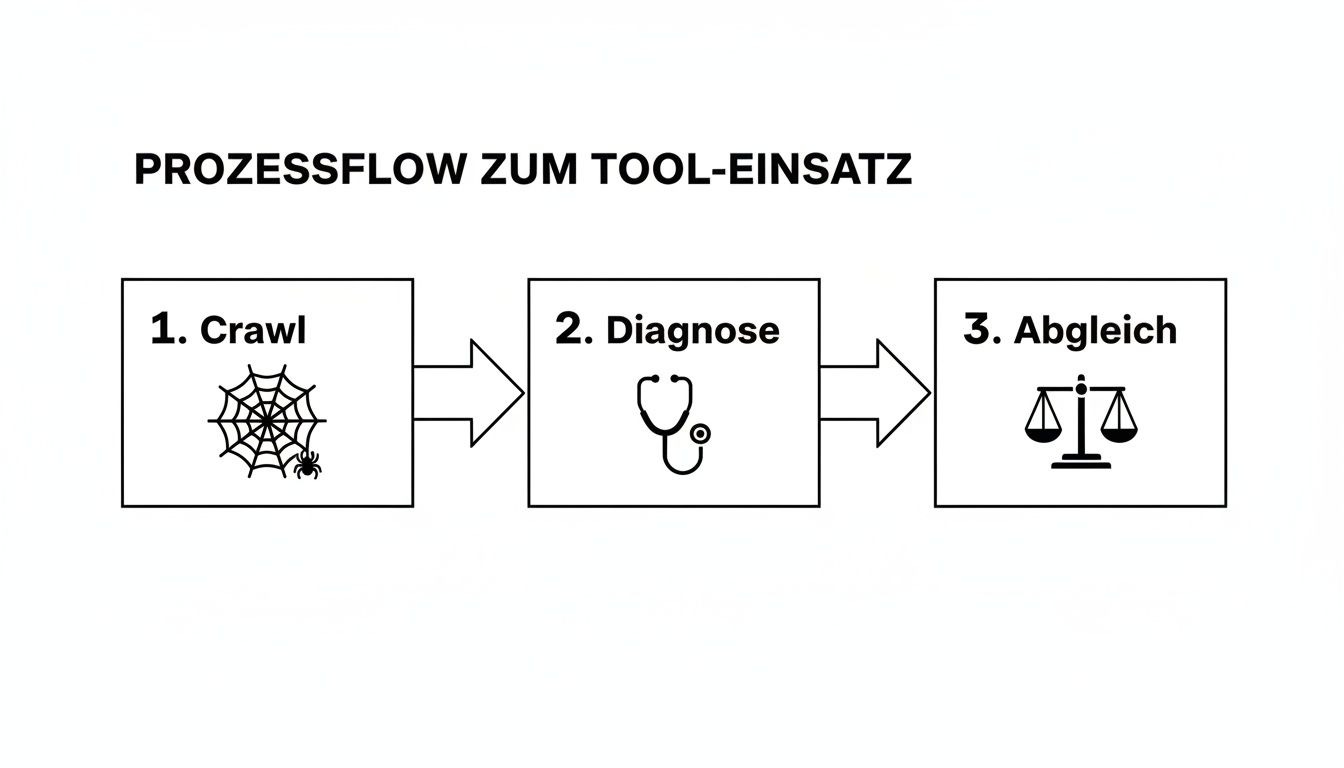
This three-pronged approach ensures that you don't just treat symptoms, but find the real causes of technical problems and base your decisions on solid data.
The initial crawl as an inventory
The first step is always a complete crawl of your website. A tool like the [tool name] is needed for this. Screaming Frog SEO Spider Perfect. The crawler navigates through your site, just like a Googlebot would, and delivers a huge amount of data – the basis for everything else.
First, focus on the obvious red flags that immediately catch the eye. These include:
- HTTP status codes: Look out for 404 errors (Page not found) and 5xx server errors. 404 errors are particularly critical on pages with valuable backlinks. You should immediately redirect these using 301 redirects.
- Canonical tags: Are they set on all important pages? Do they actually point to the correct URL that should be indexed? Incorrect canonical tags are a classic cause of duplicate content.
- Indexability: Simply filter for all pages that have a "noindex" tag. Sometimes you'll find remnants from the development phase that are inadvertently blocking important content from Google.
This first run will give you a good sense of the overall health of your site. Note down any abnormalities, even if you don't examine them in detail until later.
Reality check: The indexing status in the Google Search Console
After you've seen your website through the eyes of a crawler, the reality check comes in the Google Search Console (GSC). Here you can see how Google views your page. really This allows you to see what actually ends up in the index and what is perceived. Your most important starting point for this is the "Pages" report (formerly "Coverage").
Be sure to also check the URLs marked as "Excluded." These often contain the most interesting insights. For example, a high number of pages listed as "Crawled - not currently indexed" could indicate that Google considers your content irrelevant or of insufficient quality.
A common pitfall is parameterized URLs, which arise from filter navigation in online shops. If these are not properly controlled via canonical tags or the robots.txt file, they waste crawl budget and generate massive amounts of duplicate content.
Also check if your GSC account is stored XML Sitemap It's up-to-date and doesn't contain any broken URLs. A clean sitemap is an important signal to Google. If you want to delve deeper into the topic, you can find more information in our guide. Create sitemap.xml valuable practical tips.
Performance and mobile display under scrutiny
User experience is now a crucial ranking factor. Start an analysis of the Core Web Vitals with Google PageSpeed Insights. But don't just test the homepage, also important category pages, a few products, or your top blog articles.
The usual performance bottlenecks are often easy to find:
- Huge, uncompressed images: Usually the simplest lever with the greatest effect to improve charging time.
- Unused JavaScript and CSS: Code that is loaded but not needed unnecessarily slows down the page.
- Slow server response times (TTFB): If the server itself is slow, optimizations to the frontend will only have a limited effect.
At the same time, you need to consider the mobile display. Use Google's "Mobile-Friendly Test" for a quick assessment. Even better: Take your smartphone and click through the site yourself. Are all the buttons easy to use? Is the text legible? Does the shopping cart work smoothly?
Document findings and prioritize them intelligently.
Simply collecting data is only half the battle. The crucial step is to correctly interpret and prioritize the problems identified. Without a clear categorization, you'll quickly get lost in the details and waste valuable resources.
Create a simple table to record each finding. Important columns include priority and the estimated effort required for implementation.
| Problem description | Area | priority | Cost (development) |
|---|---|---|---|
| robots.txt blocks /category/ | Crawling | Critical | Small amount |
| LCP on product pages > 4s | performance | High | Medium |
| 50 alt tags are missing from images | On-Page | Medium | Small amount |
| Canonical tags are missing in URLs | Indexing | High | Medium |
This structure helps you enormously to keep track of things and to deploy your resources exactly where they have the greatest impact.
A critical error, such as an incorrect robots.txt rule that blocks important pages, must be corrected. immediately These issues need to be resolved. A high LCP value is also urgent, as it directly impacts rankings and conversions. While missing alt tags are important, they have a lower priority than a fundamental indexing problem. This distinction is precisely what makes effective LCP resolution so crucial. technical SEO analysis out of.
This is how data becomes action: Presenting results in an understandable way and managing their implementation.
The most thorough technical SEO analysis It's completely pointless if the results gather dust in a complicated report and nobody knows what to do with them. The true value of your work only becomes apparent when you manage to transform all that data into understandable and actionable recommendations. Recommendations that not only convince management but also provide the development team with crystal-clear guidance.
Your mission is to build a bridge – between technical complexity and hard-nosed business goals. Instead of just saying "The LCP value is bad," you need to translate the problem into a language that everyone in the company understands.
The art of translating technical problems
To be perfectly honest: Technical metrics are for developers. For decision-makers, you need to put them in the context of revenue, leads, and user experience. Your job is to proactively answer the question "Why should we spend time and money on this?" before it's even asked.
Always link technical errors directly to their impact on the business. Here are a few practical examples of how to make complex findings tangible:
Instead of: „"We have many 404 errors on pages with incoming backlinks."“
Better: „We are currently losing valuable link authority because 15 % Our backlinks are going nowhere. It's as if important partners are recommending us, but we're simply ignoring them. This weakens our overall ranking potential.“
Instead of: „"The LCP value is 4.2 seconds."“
Better: „"Our product pages take more than 4 seconds to load. Studies show that just one second faster loading time can increase the conversion rate by up to..." 7 % can increase. At the moment, we are losing potential customers even before they see our products.“
This shift in perspective changes the entire discussion. A dry deficiency becomes a tangible business opportunity or an avoidable risk.
How to create an effective audit report
A good report is like a good translator: it speaks several languages and caters to the needs of very different people. It must give management a strategic overview while simultaneously providing precise, technical details for implementation.
A structure that has proven successful in practice looks like this:
- Management Summary: A single page that gets straight to the point. Here you list the three most critical problems, their business consequences, and the top solutions – concise, to the point, and free of jargon.
- Detailed findings by priority: Now we're getting down to brass tacks. Group the identified problems thematically (e.g., crawling, performance, indexing) and prioritize them by urgency. This way, everyone knows where the most pressing issues lie.
- Specific recommendations for action: This is the most important part for the developers. Don't just describe that. problem, but above all the Solution. Give clear instructions, include screenshots, and link to official documentation or helpful tools where appropriate.
An effective audit report is not merely a problem document, but a solution guide. It answers not only the question "What is broken?", but above all "How do we fix it and what are the benefits?".
Prioritization is everything
Your audit will likely uncover a long list of deficiencies. Trying to tackle everything at once will inevitably lead to frustration and stagnation. The key to success lies in smart prioritization.
A simple matrix helps to evaluate the tasks:
| criterion | Description |
|---|---|
| impact | How significantly does this problem impact SEO performance or business goals? (High, Medium, Low) |
| Expense | How much time and resources will be needed to fix this? (High, Medium, Low) |
Always start with the tasks that a high impact at minimal effort These are your "quick wins." They deliver rapid results, build trust, and establish momentum for the larger, more challenging projects. A blocking entry in the robots.txt This is a classic example.
Next, you tackle the tasks with high impact and significant effort. These larger projects often require more detailed planning and greater resources. Your task is to provide the necessary persuasive arguments through clear and concise data presentation. Data visualizations, such as a graph illustrating the relationship between loading time and bounce rate, are invaluable here for making complex issues understandable at a glance.
Frequently Asked Questions about Technical SEO Analysis
In practice, the same questions repeatedly arise during technical SEO audits. I've compiled the most common ones here and provide answers directly from our agency's daily work – so you can avoid typical pitfalls from the outset.
How often should I perform a technical SEO analysis?
There's no perfect frequency – it depends entirely on how dynamic your website is. But there's a good rule of thumb you can use as a guide.
Do you run a very active website, such as a large e-commerce shop or a news portal, where new content, products, or features are constantly being added? Then a monthly check Absolutely useful. This way you can spot small errors before they develop into a real problem.
For most company websites or blogs where the basic structure doesn't change weekly, one comprehensive audit per quarter completely. This gives you enough time to identify trends and take targeted countermeasures.
A piece of practical advice: Regardless of your regular rhythm, you should always Perform an immediate technical check whenever a major relaunch, important system update, or migration is planned. It's precisely during such events that most unnoticed SEO disasters occur.
What is the difference between a technical audit and an on-page audit?
This question often causes confusion, but the distinction is quite simple. Imagine your website as a house that you are preparing for important visitors – in this case, search engine crawlers.
- The technical audit It checks the foundation and infrastructure of the house. Is the foundation stable (server performance)? Is the entrance door easy to find and wide enough (crawlability)? Are all connections working (no server errors)? It's about basic stability and accessibility.
- The On-page audit In contrast, it focuses on the setup of the individual rooms. Are the navigational aids clear (page titles, meta descriptions)? Does the content use the right language (keyword usage)? Is the decor appealing and logically placed (images, internal links)?
Both audits are crucial for success and build upon each other. After all, the most beautiful living room is useless if the foundation of the house is crumbling.
Which three mistakes have the worst consequences?
In our experience, three critical mistakes consistently emerge as the fastest and most lasting way to ruin rankings. Therefore, if you have limited resources, focus on these potential showstoppers first.
- Incorrect indexing instructions: Nothing is more fatal than an accidentally placed
noindex-day or an overly generous oneDisallow-Rule in the robots.txt file. Such errors can make entire sections of your website – in the worst case, the entire domain – invisible to Google. - Massive performance problems: An extremely slow Largest Contentful Paint (LCP) It's not just a direct ranking factor, but also an absolute conversion killer. If your page takes forever to load, users will leave before they even see the content – a disastrous signal for Google.
- Uncontrolled internal duplicate content: If filters, parameters, or CMS errors create countless versions of the same page without proper canonical tags, it wastes your valuable crawl budget. Google then doesn't know which version to rank, and the authority of your most important pages is massively diluted.
A clean technical foundation isn't just a "nice-to-have," it's the basis for sustainable SEO success. If you're looking for expert support to stabilize your website from the ground up, then... LinkITUp The right partner. We ensure your content gets the visibility it deserves. Learn more and achieve your goals with us at https://seobuchen.com/.