





Creating an XML sitemap is one of the most basic yet crucial steps in providing search engines like Google with a clear map of your website. Think of this file as a direct line to Google, ensuring that all important pages They can be found and indexed efficiently. This can significantly accelerate visibility, especially for new or very large websites.
Why an XML sitemap is crucial for your SEO

Imagine Google as a tireless explorer scouring the vast internet. While Google's crawlers are incredibly intelligent, they still occasionally need a good guide to fully understand your website's structure. That's where the XML sitemap comes in. It's much more than just a technical file; it's your personal roadmap for search engines.
Without this "map," crawlers rely solely on internal links to navigate from one page to the next. This often works, but with complex or new websites, there's always the risk of valuable content being overlooked. A sitemap eliminates this risk by providing a complete list of all relevant URLs.
Targeted control of the crawl budget
Every website has a so-called Crawl budget This is the number of pages Google visits and analyzes within a specific timeframe. A clean, well-structured sitemap helps you manage this limited budget effectively. Instead of letting the crawler wander aimlessly, you direct its attention straight to the pages that are most important to you.
Especially in these cases, this is a real game-changer:
- Large e-commerce shops: With thousands of product pages, the sitemap ensures that new or updated items are discovered in a flash.
- New websites without backlinks: For a website that has just gone online, the sitemap is often the fastest way to make Google aware of its existence.
- Websites with deep page structures: Content that is many clicks away from the homepage quickly gets lost without a sitemap.
- News portals: Here, the sitemap ensures that brand-new articles are immediately indexed and found.
A sitemap isn't a guarantee of indexing, but it greatly increases the likelihood and, above all, the speed. It clearly signals to Google: "Hey, these pages are important and ready for your users."„
Creating an XML sitemap lays the foundation for search engines to cleanly and completely index your website. It prevents your carefully crafted content from disappearing into the digital void. It's an essential step for improving visibility and unlocking your full SEO potential. While the sitemap guides crawlers, a well-structured site architecture is equally crucial. Learn more about how to structure your site with Internal links for SEO can strengthen it further.
The structure of a technically sound XML sitemap

Before we get to work creating a sitemap, we first need to understand how it works. Think of an XML sitemap as a precise blueprint of your website – specifically formatted for search engines. It speaks their language, XML (Extensible Markup Language), and follows a very clear, standardized schema. This is the only way crawlers can truly understand and process the information.
Every sitemap is based on just a few, but absolutely essential, building blocks called tags. These tags frame each individual URL and provide the most important information that Google needs to correctly categorize the page. Without this basic structure, the file is simply unreadable for the search engine.
The mandatory basics of every sitemap
Every XML sitemap begins with the <urlset>-tag. It is essentially the large frame that surrounds all individual URL entries and signals the beginning of the actual sitemap data.
Within this framework, each individual page you wish to list will get its own <url>-Container. And inside lies the heart of the entry: the <loc>-Tag. This is where the complete, absolute URL of the page goes. This is the only piece of information that is absolutely mandatory for each entry.
<urlset>: The main container that encloses all URLs in the sitemap.<url>: The parent element that bundles the information for a single URL.<loc>: Contains the exact URL, for example.https://www.beispiel.de/produkt-a.
A very simple, but correct entry would look like this:
https://www.beispiel.de/blog/neuer-artikel
Optional tags for strategic signals
While the required tags form the foundation, the optional tags bring the real finesse into play. They are your chance to provide Google with valuable additional information that can make crawling noticeably more efficient.
The most important helper by far is the <lastmod>The `<date>` tag tells the crawler when you last made a major change to a page's content. This information greatly helps Google decide whether a revisit to the page is worthwhile. It's important to specify the date in the W3C date format (YYYY-MM-DD).
From practical experience: Update the
<lastmod>Timestamps should only be used for genuine, substantial changes. Simply incrementing the date without updating the content is pointless. On the contrary, it can even undermine search engine trust in the long run.
There used to be tags <changefreq> (Frequency of change, e.g. daily or weekly) and <priority> (relative importance of 0.0 until 1.0In practice, however, it has been shown that Google largely ignores these two signals today. Therefore, you should focus your energy entirely on accurate [missing information]. <lastmod>-Day – that really makes a difference.
This table summarizes the function and application of the most important XML tags used in a sitemap.
The most important XML tags and their function
| XML Tag | Description | Application (Mandatory/Optional) |
|---|---|---|
<urlset> | Encloses the entire sitemap file and contains all <url>-elements. | Mandatory |
<url> | Container for the information about a single URL. | Mandatory |
<loc> | Specifies the complete and absolute URL of the page. | Mandatory |
<lastmod> | Displays the date of the last significant change to the page content. | Optional (but highly recommended) |
<changefreq> | Indicates the likely frequency of changes to the page. | Optional (ignored by Google) |
<priority> | Defines the priority of a URL relative to other URLs on the website. | Optional (ignored by Google) |
A glance at the table makes it clear: less is often more. Focus on the essential tags and maintain them. <lastmod> conscientiously, in order to achieve the best results.
Be mindful of limits: size and number are crucial
One technical aspect that one should consider when Create a sitemap in XML format One thing you absolutely must keep in mind are Google's strict limits. A single sitemap file must not be larger than 50 MB (uncompressed) and may be a maximum of 50,000 URLs Included. These limits are quickly reached, especially for large online shops or news portals in Germany. If you want to avoid typical mistakes, you will find information about them in this article. Technical requirements for sitemaps on onlinesolutionsgroup.de valuable information.
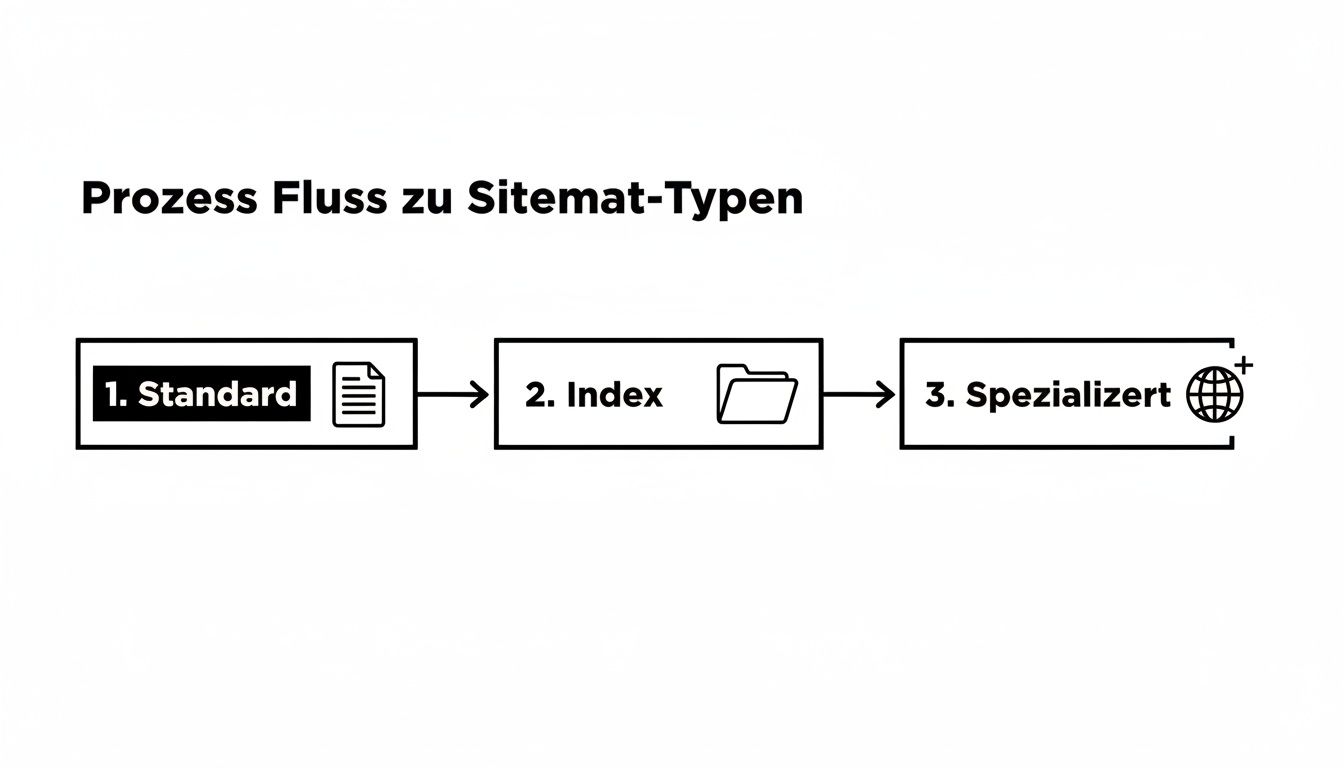
Should you exceed any of these limits, that's no problem. The solution is to split the URLs into several smaller sitemaps. You then combine these individual files into a so-called sitemap index file, which you submit to Google. This ensures that even extremely large websites can be crawled completely and efficiently.
Finding the right method for creating a sitemap
Now that we've covered the theory behind a clean XML structure, let's get practical. There's no single, perfect way to create a sitemap. The best method for you depends entirely on your website: What technology is behind it? How large is your project? And how technically proficient are you? But don't worry, there's a suitable solution for every scenario.
Let's look at the three most common methods: automatic creation via a content management system (CMS), the use of special tools and generators, and – for the purists among us – completely manual creation. Each approach has its own strengths and weaknesses.
The easiest way: Automatic creation via CMS plugins
For the vast majority of website operators, this is the method of choice. It's simple, fast, and sustainable. Modern systems like WordPress, Shopify, or TYPO3 either have a built-in sitemap function or can be added with powerful plugins. The huge advantage here is... dynamicsThe sitemap updates automatically whenever you publish a new page, delete an old post, or revise content.
A prime example from the WordPress universe is the plugin Yoast SEO. It's a standard feature on many websites and, once activated, automatically generates a clean XML sitemap. You hardly have to do anything.
From practical experience: The charm of CMS plugins lies in their "set it and forget it" approach. Once properly configured, sitemap maintenance runs automatically in the background. This minimizes human error and ensures your sitemap is always up to date.
Setup is incredibly easy. After installation, you'll usually find the sitemap function in the plugin's general settings. There, you can often specify in detail which content types (posts, pages, products, etc.) should be included in the sitemap and which should not.
Here you can see how simple it is to activate the function in the Yoast SEO settings.
The image shows the simple switch that makes the XML sitemap ready to use with just one click. It couldn't be more user-friendly.
Similar solutions exist for almost every common system:
- Shopify: Automatically creates a
sitemap.xmlfor all products, pages, collections and blog articles. - Wix & Squarespace: These modular systems also automatically generate a sitemap. Manual intervention is rarely necessary or even possible.
- TYPO3: It also offers automated sitemap generation via extensions such as "cs_seo" or "yoast_seo".
This method is ideal if you're looking for an efficient, low-error, and maintenance-free solution. Especially with WordPress, a good SEO plugin is essential anyway, as it handles much more than just the sitemap. If you want to delve deeper into the topic, you'll find valuable tips in our guide to... WordPress SEO optimization.
The flexible alternative: Generators and desktop crawlers
But what if you're not using a traditional CMS, but instead running a static HTML website? Or if you simply need a quick overview of your site structure? Sitemap generators and desktop crawlers are perfect for exactly these situations.
These tools essentially function like a small search engine bot. They crawl your website, follow all internal links, collect the URLs, and compile them into a complete directory. sitemap.xml-file. You then just need to upload it to your server.
Two types of tools are distinguished here:
- Online generators: Web services such as XML-Sitemaps.com They are incredibly easy to use. Enter the domain, start the crawl, and download the finished file. The catch: The free versions are often limited to a few hundred URLs and offer very few configuration options.
- Desktop crawler: Programs like the Screaming Frog SEO Spider Screaming Frog is the Swiss Army knife for any technical SEO. You install the software locally and can use it to analyze websites down to the last detail. Screaming Frog not only exports a sitemap, but also gives you complete control over which URLs should be included based on status codes, indexing rules, or other criteria.
This approach is perfect for:
- Static websites without a CMS backend.
- The quick, one-time creation of a sitemap.
- Technical SEO audits where the sitemap is only one part of the result.
But keep in mind: A sitemap created in this way is static. As soon as you add new pages, you have to repeat the entire process and manually replace the file. For websites that grow regularly, this is quite impractical in the long run.
For purists: Manual creation with full control
The third way is for true enthusiasts: manually writing the XML file in a simple text editor like Notepad++ or Visual Studio Code. This approach gives you the absolute control about each individual entry, but at the same time it is by far the most time-consuming and error-prone.
They start with the basic XML structure we looked at, and then add one for each individual URL. <url>-Block by hand.
When does that really make sense?
- Very small websites: For a site with fewer than 10 or 15 URLs, it is often faster to quickly type the sitemap yourself than to configure a tool.
- Specific requirements: If you only want to display a very specific selection of URLs in a very specific order, the manual approach can lead to the desired result.
- Learning purposes: To truly understand how an XML sitemap works, there's nothing better than writing one yourself.
The decisive disadvantage is the lack of scalability. Every new page has to be added manually, and that <lastmod>The date can be changed manually. A small typo in the syntax can render the entire file unreadable for Google. Therefore, this method is only recommended in exceptional circumstances. For the vast majority of projects, automated solutions are the far smarter choice.
Using advanced sitemaps for complex websites
A simple XML sitemap is a solid first step. However, as soon as your website reaches a certain size, becomes international, or is rich in visual content, you'll quickly reach the limits of a standard solution. For such complex projects, you need specialized sitemaps to fully exploit SEO potential and give Google precise instructions.
Complex web structures, such as those found on large German e-commerce portals or international corporate websites, require a well-thought-out strategy. Without these advanced techniques, you risk overlooking important content or wasting your crawl budget inefficiently. Ultimately, it's about bringing order to the chaos and taking communication with search engines to the next level.
The sitemap index file for large websites
Do you have a website with more than 50,000 URLsOr would you simply like to better organize your content thematically for search engine crawlers? Then a Sitemap index file The solution: Instead of creating a huge, unwieldy sitemap that would inevitably fail due to Google's limits, simply bundle several smaller sitemaps into a central index file.
Think of the index file as a table of contents: it does not contain any URLs of your content pages itself, but merely refers to the individual, specialized sitemaps.
In practice: A large online shop could, for example, divide its URLs like this:
sitemap-products.xml(for all product detail pages)sitemap-categories.xml(for the category pages)sitemap-blog.xml(for all blog articles)sitemap-static.xml(for pages like "About Us" or "Contact")
These four individual sitemaps will then be used in the sitemap-index.xml linked. And you only submit this single index file to Google Search Console. This approach not only ensures technical cleanliness but also greatly simplifies error analysis, as problems can be immediately narrowed down to a specific section.
Although modern search engines also discover content via links, a hierarchical sitemap is absolutely essential for websites with over a million pages – such as those of large German retailers like Amazon.de or Otto.de. Each sitemap can contain a maximum of 50,000 URLs; an index file links several of them to elegantly circumvent this limit. See below. the sitemap index of the Federal Statistical Office to get a feel for the structure.
Image sitemaps for greater visibility in image search
Images are often an underestimated source of traffic. Especially in e-commerce, the travel industry, or for visual blogs, Google Image Search is a veritable goldmine. But for your images to appear prominently there, the crawlers first need to be able to find and understand them. This is precisely where a dedicated image sitemap comes in.
Sure, Google can discover images during a normal crawl of a page. But especially with content that is loaded dynamically via JavaScript, the bots often reach their limits. An image sitemap bridges this gap by explicitly directing Google to all important image URLs and providing valuable context.
In an image sitemap, you can specify information for each image:
<image:loc>: The URL of the image itself.<image:caption>: A meaningful caption.<image:title>: The title of the picture.<image:geo_location>: The geographical location, if that's relevant to you.
This additional metadata increases your chances of ranking highly in relevant image searches. Many modern SEO plugins for CMS like WordPress also do this automatically.
International focus with hreflang in the sitemap
Do you operate your website in multiple languages or for different countries? Then the correct implementation of hreflang-Attributes are absolutely crucial. This is the only way to avoid duplicate content problems and ensure that users see the correct language version in the search results.
Instead of hreflang-Tags in the <head>Packing the content area of each individual page – which quickly becomes confusing and can impact loading time – offers a clean and, above all, scalable alternative to the XML sitemap.
Here, you define the corresponding language and country variants for each URL directly in the sitemap. An entry for a German page that also exists in English and French could look something like this:
For the URL https://beispiel.de/de/produkt-a
hreflang="de-DE"":https://beispiel.de/de/produkt-ahreflang="en-US"":https://beispiel.com/en/product-ahreflang="fr-FR"":https://beispiel.fr/fr/produit-ahreflang="x-default"": A fallback version for all other languages
This method is not only more technically elegant, it also reduces the potential for errors when maintaining hundreds or thousands of internationalized pages. It provides Google with a central, crystal-clear instruction regarding the geographic and linguistic targeting of your entire domain.
Here's how to submit your sitemap and avoid common errors.
A perfectly created sitemap is only half the battle. If Google and other search engines don't know it exists, it's useless. The next step is therefore crucial: you have to guide search engines to your website. sitemap.xml This is the only way crawlers can retrieve the list of your most important URLs and begin indexing.
In practice, two methods have become established: direct submission via Google Search Console and referral in the robots.txt-file. I always recommend doing both – they complement each other perfectly.
The direct line to Google: The Search Console
The Google Search Console is your dashboard for everything that happens with your website on Google. Submitting your sitemap is the most direct and transparent way to do this. You'll get immediate feedback on whether Google was able to process the file and how many URLs it found. That's invaluable.
Here's how to proceed:
- Log in to the Google Search Console and go to the "Sitemaps" menu item in your property.
- Under "Add new sitemap", simply enter the relative path to your file, for example:
sitemap.xmlorsitemap_index.xml. - One click on "Send" – that's all there is to it.
Google then lists the sitemap directly and displays its status. If it says "Successful" after a short time, you've reached the first important milestone. If you want to delve deeper and accelerate the entire indexing process, you can find more information in our guide to... Application for Google indexing Valuable tips.
The strategic note in the robots.txt file
Every search engine crawler that visits your site looks first at the robots.txtThis file is essentially the house rules for bots. By specifying the path to your sitemap here, you make it incredibly easy not only for Google, but also for Bing, DuckDuckGo, and all other crawlers to understand your site structure.
Simply add this one line to your robots.txt-file:
Sitemap: https://www.ihre-domain.de/sitemap.xml
This method is passive, but incredibly effective. It ensures that every bot that visits your site finds the shortest path to your URL overview.
Which method is best? The short answer: both. Each has its own strengths that work together in practice.
Comparison of sitemap submission methods
This table summarizes the key differences so you can decide which path has priority in which situation.
| method | Advantages | Disadvantages | Recommended for |
|---|---|---|---|
| Google Search Console | Detailed feedback, error reports, status tracking, direct communication with Google. | Only affects Google; requires a verified account. | All website operators who want to actively manage their Google performance. |
| robots.txt file | Reaches all search engines, easy and quick to implement, universal standard. | No direct feedback or error reporting from the search engines. | Every website should follow basic best practices to ensure discoverability for all crawlers. |
As you can see, combining both methods is the best approach. robots.txt It is the foundation for everything, and the Search Console gives you the control and analysis options specifically for Google.
Typical pitfalls you should avoid from the start
Unfortunately, in practice I repeatedly see that problems arise even after submitting the sitemap. Small errors can have a major impact on indexing and waste valuable potential.
Many technical SEO problems are related to faulty sitemaps. An analysis by the Online Solutions Group shows that... 19,34 % of the German websites examined
sitemap.xmlis not found at all and at 15,91 % the important entry in therobots.txtmissing.
Pay special attention to these pitfalls to keep your sitemap clean:
- URLs with
noindex-Day: To include a URL in the sitemap that also serves as anoindexThe presence of a `<div>` tag sends a clear signal of disagreement to Google. This confuses the crawler. Consistently filter out such pages. - Pages with 404 errors: Your sitemap must only contain live URLs that have the status code 200 OK Return broken links. Broken links are a waste of crawl budget and a sign of poor maintenance.
- Non-canonical URLs: Only the one true original version of a page – the canonical URL – belongs in the sitemap. All duplicates, whether through parameters or different spellings, have no place there.
- By
robots.txtBlocked pages: If you block a search engine from accessing a page, you should logically not present it as worthy of indexing in the sitemap.
Regularly check your sitemap for these errors. Google Search Console is your best friend here – it shows you exactly where the problems lie. A clean, up-to-date sitemap is a strong quality signal and lays the foundation for fast and complete indexing.
Creating an XML sitemap: Your questions, our practical answers
Even after the sitemap is created and submitted, questions often arise in everyday practice. This is perfectly normal. Here, I've compiled the most common points of confusion and provide you with clear, practical answers to expand your knowledge on the topic. Create a sitemap in XML format to round things off.
Does every single URL on my website really need to be in the sitemap?
The clear answer is no, and that's a good thing. Don't think of your sitemap as a complete archive, but rather as a curated list of recommendations for Google. It shows which content you want to highlight for Google. especially important and high-quality hold.
Pages that are irrelevant to your SEO or simply shouldn't appear in search results have no place in the sitemap. Typical examples that should be left out are:
- Pages that are accessed via
noindex-Day are excluded from indexing anyway - Internal search results pages of your website
- Login areas, shopping cart or "thank you" pages
- Outdated blog articles or thin content without added value
A concise, focused sitemap sends much stronger quality signals than a huge file that simply contains every URL ever created.
Think of your sitemap as a VIP guest list for Google. Only the pages that truly offer something valuable and should rank well should be included. This saves your crawl budget and helps Google focus on what's essential.
How often do I need to update my sitemap?
It all depends on how frequently your website is updated. Do you run a relatively static company website where a new subpage is added perhaps every few months? Then you don't need to be active every day. For a news portal or a large online shop where new products or articles are added daily, the situation is naturally different.
As a rule of thumb: Your sitemap should always reflect the current state of your most important content.
Modern CMS plugins, such as Yoast SEO For WordPress, we completely automate this task. Every time you publish a new post or delete a page, the sitemap is automatically updated in the background. If you maintain your sitemap manually, you have to remember to regenerate and upload the file after significant changes.
What happens if I submit a faulty sitemap?
Don't panic, Google won't penalize you for this. In most cases, a faulty sitemap is simply ignored. The downside, however, is that you're missing out on its full potential. The crawlers can't read the broken file and have to find your website again the "old way" via internal links, which is less efficient.
In Google Search Console, under "Sitemaps," you can see exactly whether your file was processed correctly or if there are any problems. Common errors include typos in the XML code, invalid URLs, or exceeding the allowed file size. Check here regularly and fix any reported errors immediately to ensure smooth indexing.
Can I use an XML and an HTML sitemap simultaneously?
Yes, absolutely! The two are not a contradiction, but a perfect complement, as they appeal to completely different target groups.
- One XML Sitemap It is built purely for search engine crawlers. It is a technical file that is hardly readable for us humans and only serves as a guide for the crawlers.
- One HTML Sitemap In contrast, this is a completely normal website for your human visitors. It functions like a clear table of contents and helps users quickly get an overview of your site structure.
While the XML sitemap speeds up technical indexing, the HTML sitemap improves user-friendliness and also strengthens your internal linking. Implementing both is highly recommended practice.
A clean sitemap is an important building block for your SEO success. But to truly reach the top, you need a comprehensive strategy. LinkITUp is your partner for sustainable visibility. With over 15 years of experience and a focus on high-quality backlink building, we'll boost your company's ranking on Google.
Reach your full potential – learn more at https://seobuchen.com/.