





Are you looking for a professional Editorial plan template, Looking for the tool that will finally get your content marketing on track? This is about more than just a download. I'll show you how to transform "posting by feel" into a targeted content strategy that truly supports your marketing goals.
From content chaos to a clear strategy

Does this sound familiar? A social media post here, a blog article on a loose topic there, and the constant feeling that you have to publish "something," without really knowing where it's all headed. Many small businesses and startups know this scenario all too well. Time and effort are invested in content, but without a central plan, the impact often fizzles out.
A well-thought-out editorial plan is not just a simple calendar. It's the strategic heart of your entire content marketing, transforming random actions into a coherent campaign.
The power of planned consistency
The true superpower of an editorial calendar is consistency. By publishing regularly, you signal not only to your audience but also to search engine algorithms that you are a reliable expert in your field. A calendar practically forces you to think ahead and ensure a steady stream of valuable content. This makes those dreaded content gaps, where there's radio silence for weeks, a thing of the past.
An editorial calendar is the central nervous system of your content strategy. It not only ensures order but also guarantees that every publication serves a higher purpose and that your brand is consistently built.
This structured approach not only makes your team more efficient, but also ensures a consistent message across all channels. Suddenly, every post – whether on LinkedIn, in the blog, or in the newsletter – contributes to the same core messages and business objectives.
What makes a good editorial plan template
For an editorial plan to be fully effective, it needs a few crucial elements. It's not enough to simply include the... What to plan. That Why, Who, Where and When are just as important. If you want to delve deeper into strategic planning, I'll show you in detail how to create a comprehensive plan in another article. Create a content plan.
A professional template goes beyond a simple date and topic. The truly useful plans include columns for the publication date, the responsible author, internal deadlines, the format (e.g., video, blog post), the target audience, relevant SEO keywords, a clear call to action, and the current status (e.g., "in progress," "for approval").
Here is an overview of the core elements that should be included in every professional template.
Key elements of a professional editorial plan template
This table shows you the most important columns of your template and explains why each one is crucial for your success.
| element | Function and benefits | Practical example |
|---|---|---|
| Date & Deadline | It ensures consistency and helps the team keep track of deadlines. | Publication date: October 25th / Internal deadline: October 20th. |
| Topic/Title | Define the content and ensure it fits the overall strategy. | ""The 5 most common mistakes in email marketing for SMEs"" |
| responsibility | Clarifies who is responsible for creation, approval, and publication. | Author: Anna M. / Approval: Thomas S. |
| Channel/Platform | Specifies where the content will be published (blog, LinkedIn, Instagram, etc.). | Blog, LinkedIn (abridged version), Newsletter |
| format | Determine the type of content (text, video, infographic) to match the channel and topic. | Blog article (1,200 words), accompanying infographic |
| SEO keyword | Optimize the content for search engines to increase organic reach. | ""Editorial plan template Excel"" |
| status | It visualizes progress and helps with team coordination. | In progress / For approval / Planned / Published |
This structure ensures that all participants are on the same page and that every piece of content is strategically thought through before a single word is written.
A well-maintained plan will help you specifically to achieve your marketing goals, be it:
- Increasing brand awareness: Through regular, thematically relevant content.
- Lead generation: By strategically planning content with clear calls to action.
- Customer loyalty: By continuously providing useful information to your existing customers.
At the end of the day, an editorial plan transforms your content activities from a mere obligation into a proactive engine for your success.
Here's how to set up your template and make it your tool.

The strategy is in place, now it's time to get down to brass tacks. A template is only ever as good as what you make of it. The requirements of an e-commerce shop are simply very different from those of a B2B service provider or a local start-up. That's why I'm going to show you how to use our flexible Editorial plan template (for Excel or Google Sheets) into your personal power tool.
Don't see the template as a rigid corset, but rather as an adaptable skeleton. Your task is to give this framework the muscles of your business. Ultimately, you want to create a central management tool that everyone on the team understands immediately and, most importantly, enjoys using.
The basic structure and the first adjustments
When you open the template for the first time, you'll find the main columns we've already discussed: Date, Subject, Channel, Responsibility, and Status. But before you rush into entering content, take a moment to personalize it. It's precisely these small details that will make a huge difference in the hectic daily routine.
A crucial first step is defining your content categories or topic clusters. They form the backbone of your strategic direction. They ensure you maintain a healthy balance between different types of content and avoid accidentally focusing on a single topic for weeks on end.
An online shop for sustainable fashion could, for example, have the following categories:
- Product focus: Detailed presentation of new or popular pieces.
- Styling tips: Practical instructions on how customers can combine the clothing.
- A look behind the scenes: Insights into the production, the team, or the origin of the materials.
- Community Stories: Testimonials and photos from satisfied customers.
A B2B software company, on the other hand, would likely focus on categories like "Industry News," "Case Studies," "Tutorial Videos," or "Expert Interviews." It's best to create these categories in a separate worksheet or a designated section of your template.
Define workflows and responsibilities crystal clear
One of the most common reasons for chaos in the content process is unclear procedures. Who writes the text? Who approves it? Who takes care of the graphics? The "Status" column is your most important ally here. Instead of just using simple terms like "Open" or "Done," you should map out a detailed workflow that reflects your actual process.
A precise workflow in your editorial calendar prevents time-consuming queries and misunderstandings. Everyone knows at all times what stage a piece of content is in and who is next.
In practice, a workflow like this has proven effective:
- Idea pool: A mere collection of topic ideas, without a fixed date yet.
- Research underway: The topic has been assigned; research is now underway.
- Draft created: The first text or script is finished.
- Graphic in progress: The visual elements (images, videos) are created.
- For release: The complete article is awaiting final approval.
- Planned: Everything is ready and scheduled for publication in the respective tool.
- Live & Report: The article is online; performance data is now being collected.
In Excel or Google Sheets These status options can be easily implemented using a drop-down menu. This ensures that everyone on the team uses the same terminology and that the status is clear at a glance. The same applies to assigning responsibilities: Create a list of all team members and then create a drop-down menu for them as well.
Bringing the template to life: clever techniques
Now it gets really exciting. With a few simple tricks, you can massively increase the clarity and usefulness of your template.
Color coding for quick orientation
Colors are an incredibly powerful tool for quickly grasping information. Use conditional formatting to make your editorial calendar more intuitive. For example, you could:
- Assign a color to each channel: Blog posts are blue, Instagram stories are green, LinkedIn articles are yellow.
- Highlight the status with color: „Ready for release“ might light up in red, while „Live“ is highlighted in green.
- Bundle campaigns: All posts belonging to a specific campaign (e.g., "Summer Special") will have the same background color.
This allows you to immediately recognize patterns and priorities without having to read every single cell.
Define specific formats and channels
Another pro tip is to define the formats precisely. After all, not all "Instagram posts" are created equal. Is it a Reel, a carousel, a Story, or a simple image post? Create a column called "Format" and use a drop-down menu with all the relevant options.
This will not only help you with planning, but also with later analysis. You'll quickly see which formats perform best on which channels. It might turn out that Reels generate the most traffic on Instagram, while text-based articles with an infographic achieve the best performance on LinkedIn.
By consistently personalizing these elements, you transform a simple spreadsheet into a dynamic, intelligent planning tool. Your editorial calendar template becomes a customized command center, perfectly tailored to your team's workflow and your company's goals.
This is how your plan becomes a real content strategy.
A perfectly filled Editorial plan template It's like a sports car that just sits in the garage – nice to look at, but without the right fuel, i.e., a smart strategy, it won't get you anywhere. Only when you feed your plan with a well-thought-out content strategy will the engine ignite. So now we're going a step further and looking at how you can give your content a clear direction and real purpose.
Your strategy is your compass. It ensures that every single contribution you plan truly serves your business goals. Without this compass, you'd simply be producing blindly – and that's a pure waste of time and money.
The foundation: research and analysis
Before you add even a single topic to your plan, you need to do your homework. Know your target audience and your competition. Who are the people you want to reach? What are their most pressing questions, their biggest problems, their interests? Keyword research tools are invaluable here, because they show you in black and white which terms your potential customers are actually entering into Google.
Then take a close look at what your competitors are doing. Which topics are they already covering? Where are they successful, and – more importantly – where are the gaps they're leaving that you can exploit? A thorough competitive analysis provides you with invaluable insights and prevents you from producing yet another rehash of a long-since exhausted topic.
This first phase is crucial. Only in this way can you create content that is not only good, but also truly needed and has a real chance of being found.
Topic clusters and pillar content as the backbone
Many make the mistake of simply publishing individual, unrelated articles. A strategic approach looks different and relies on proven methods. Pillar cluster model. Imagine it like this: You build an entire universe around your core themes.
- Pillar Content: These are your long, comprehensive editorials. They cover a core topic from A to Z. An example would be "The Ultimate Guide to Automation for SMEs".
- Cluster Content (the satellites): These are smaller, very specific posts that highlight individual aspects of your pillar article and link back to it repeatedly. For example: "The 5 best automation tools for small teams" or "How to save 10 hours per week through clever process management".
This model not only gives your readers a clear structure, but also signals to search engines that you are a true expert in this field. If you want to delve deeper into the topic, we have a complete guide that shows you how to create a full [website/document/etc.]. Develop a content strategy You can, which is based precisely on this principle.
The right mix: evergreen hits and current hooks
A truly strong content strategy strikes the perfect balance between two types of content. On the one hand, you have the Evergreen Content. These are timeless pieces like tutorials, case studies, or foundational articles that will still be relevant months or even years from now. They are the stable foundation that will bring you a steady stream of traffic.
On the other hand, you need current, campaign-related content. This could include posts about seasonal events, new product features, or the hottest industry trends. These generate short-term attention and show that you're on the cutting edge.
In my experience, a mixture of approximately 80 % Evergreen content and 20 % current topics This has proven ideal. It allows you to build sustainable organic visibility without missing out on short-term opportunities.
Your editorial calendar is the perfect tool to keep track of this balance and ensure that no page is neglected.
Content for every stage of the customer journey
A potential customer hearing about you for the first time has completely different needs than someone about to click the "buy" button. Therefore, your strategy must provide content for every stage of this journey.
- Awareness: At this stage, the person might not even be aware that they have a problem. This is where you can reach them with informative blog articles, clear infographics, or short social media videos that answer common questions.
- Consideration: Now the person is aware of their problem and is actively seeking solutions. Help them evaluate the different options with detailed comparisons, case studies, webinars, or white papers.
- Decision: The purchase decision is imminent. Now you can convince them with customer testimonials, free demos, or detailed product pages that leave no questions unanswered.
Simply add a column for the "Customer Journey Phase" to your editorial calendar. This way, you can see at a glance whether you are accompanying potential customers throughout their entire journey or if there are still gaps in your communication.
A practical example: B2B software
Let's make it concrete. Imagine a B2B software provider that wants to capture the "automation for SMEs" market.
The pillar theme in the editorial plan:
- Title: The complete guide to process automation in small businesses
- Format: Comprehensive blog article (pillar page), 3,000 words
- Target audience: Managing directors and team leaders in SMEs
- Phase: Awareness/Consideration
The cluster content that contributes to this:
- Topic 1: Blog article „Top 5 automation mistakes and how to avoid them“
- Topic 2: LinkedIn video series „Automation Quick Tip of the Week“ (60 seconds)
- Topic 3: Whitepaper „ROI Calculator: How much money your SME saves through automation“ (as a lead magnet)
- Topic 4: Case Study „How Company XY accelerated its invoicing by 90%“
Each of these clustered content items is assigned a fixed date in the editorial calendar and strategically links back to the main pillar content. This gradually creates a strong thematic network that offers enormous added value for both your users and search engines. With this strategic depth, your Editorial plan template From a simple organizational tool to the heart of your marketing success.
Managing the content workflow within the team
A strategically sound plan is one half of success. The other is its smooth implementation by the team. Now we'll transform yours. Editorial plan template into an active cockpit that controls the entire process from idea to publication and makes it transparent for everyone.
A structured workflow doesn't stifle creativity – quite the opposite. It creates the space for your team to focus on what they do best: creating outstanding content.
A well-organized process visualizes the path from research and planning to the final creation of the content.
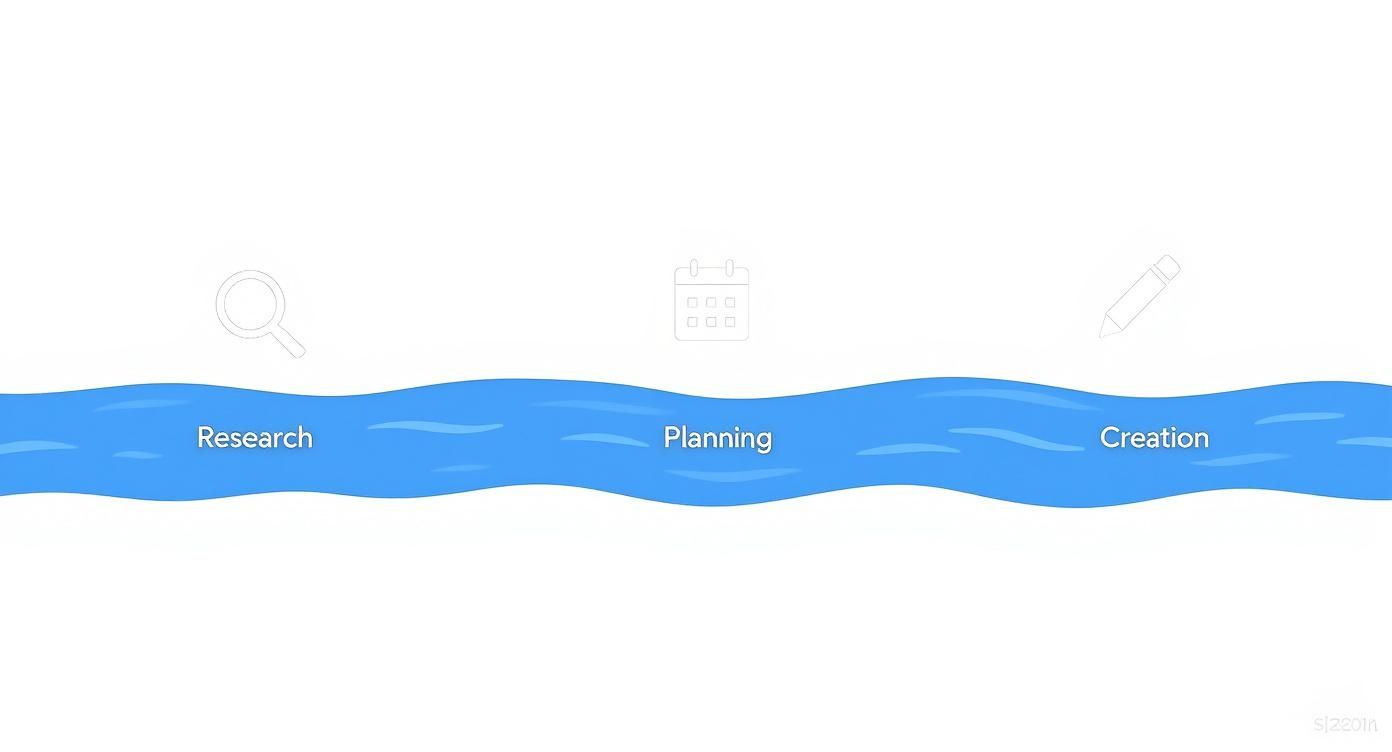
Here you can clearly see how each step in the content process logically builds on the previous one, and a clean sequence is essential.
Setting realistic responsibilities and deadlines
The most common cause of delays and frustration within a team? Unclear responsibilities and unrealistic timelines. Who is responsible for the initial draft? Who provides the necessary graphics? And who has the final say on approval? Your template must answer these questions clearly and concisely.
Assign a primary person responsible for each piece of content from the outset. This person is the "owner" of the post and retains overall control, even when other team members contribute.
Furthermore, do not just set a final publication deadline, but plan backwards with buffer times:
- Deadline for first draft: By when must the text or script be submitted?
- Visual deadline: By when do images, graphics, or video material need to be finished?
- Release deadline: A fixed deadline by which stakeholder feedback must be obtained.
Such staggered deadlines make progress measurable and prevent the typical "last-minute stress" shortly before publication.
Keep track of the status of each piece of content
Your template becomes the heart of team communication when everyone can immediately see the status of a post. A detailed status column, ideally as a drop-down menu, is essential here. Instead of just distinguishing between "in progress" and "finished," you should map the entire workflow.
A transparent workflow status in the editorial plan template reduces the coordination effort by up to... 40 %. Instead of constant inquiries via email or chat, a quick glance at the shared file is sufficient.
Proven status designations from practice are:
- Idea: Loose collection, not yet assigned to any author.
- Briefing: The topic has been defined and is being prepared for the author.
- Currently being developed: Text, graphics, or video are actively produced.
- Internal review: The draft will be reviewed by the team.
- Customer approval: (If applicable) The content is awaiting the customer's approval.
- Planned: The final content is scheduled in the CMS or social media tool.
- Published: The broadcast is live.
This clarity helps to identify bottlenecks early on. If five items are suddenly set to "Internal Review" at the same time, you know exactly where the work is piling up and can take countermeasures.
Integration with project management tools
While an Excel or Google Sheets template is sufficient for many teams, synchronization with project management tools like Asana, Trello, or Monday can further automate the workflow. The editorial calendar remains the strategic home, while operational tasks are mapped in the tools.
A typical workflow might look like this: A new entry in the editorial calendar with the status "Briefing" automatically triggers a task in the project management tool for the assigned author. Once this task is marked as completed, the status in the editorial calendar changes to "In Progress" and a new task for the next step is generated.
This integration creates a self-sustaining system that minimizes manual updates. This not only increases efficiency but also the team's acceptance of the process. To improve your content team's output, it can be helpful to familiarize yourself with general principles of productivity measurement, such as understanding... Productivity metrics and calculation.
Measure and optimize the success of your content
Anyone who thinks that clicking "Publish" is the end of the work is sorely mistaken. In reality, that's just the starting point. Now it becomes clear whether all your planning and the effort you've put into the content actually pay off. Your editorial calendar only becomes a true game-changer when you add one crucial element: performance measurement.
Without data, you're groping in the dark. With the right metrics, however, you turn your plan into a learning, evolving system that improves with every published post.
What are you actually looking at? Defining the right key performance indicators (KPIs).
Before you begin, you need to be clear about what "success" actually means to you. There's no point in getting lost in a sea of data. Focus on the few key performance indicators (KPIs) that truly tell you something about achieving your goals.
Here are a few practical examples:
- Goal: To increase brand awareness? Then reach, impressions, and the growth of your social media followers are your most important indicators.
- Goal: More interaction with the community? Look at likes, comments, shares, and, most importantly, the average time spent on your blog articles.
- Goal: To generate leads? What counts here are hard facts: the conversion rate (e.g. for newsletter sign-ups), the number of downloads of your whitepaper, or the click-through rate (CTR) on your call-to-action buttons.
My tip: Choose two to three key KPIs for each goal and integrate them as new columns directly into your editorial plan template. This keeps things organized.
Collect data and record it in the editorial plan.
Once you know what you want to measure, it's time to get down to business. Make it a routine, for example, to check the performance data for each post every week after publication and enter it directly into your plan.
An editorial calendar enriched with performance data transforms from a mere planning tool into a strategic analysis instrument. At a glance, you can see which topics, formats, and channels deliver the best results.
You don't need to do rocket science for this. These tools are usually perfectly sufficient:
- Google Analytics: Your best friend for data on page views, dwell time, bounce rate and where people are coming from to your blog.
- Google Search Console: Here you can see which keywords users use to find your page and how often your post is clicked in the search results. Invaluable!
- The platforms' analytics tools: Every social network (whether Meta Business Suite or LinkedIn Analytics) gives you detailed insights into what resonates with your target audience.
Carry the numbers – for example 5,200 impressions, 120 Likes and a CTR of 3.5 % – consistently incorporate it into your plan. Only then will you recognize patterns over time.
From data to decisions: Adapting strategy
The numbers alone won't get you anywhere. The real treasure lies in the insights you gain from them. Ask yourself very specific questions during your analysis:
- Which formats (lists, instructions, interviews) hold readers' attention the longest?
- What type of headline generates the most clicks on social media?
- On which channel do videos perform better, while on another channel pure text is more successful?
Platform-specific analysis is particularly crucial. In Germany, they use 65.5 million people Active on social media – that's what they are 77.6 % of the total population. So you need to know exactly which content works where. If you want to delve deeper, take a look at the current Social media marketing statistics on meltwater.com, to refine your strategy.
These data-driven insights form the basis for all optimization. They help you better tailor your future content to your target audience and increase your visibility. If you want to know what else you can do, read our article on the subject., how you can improve your SEO score. This completes the cycle and your editorial plan becomes a dynamic tool that constantly makes you better.
Editorial plan: Your questions, our answers
Even with the best instructions, detailed questions often arise in practice. No problem! Here I've addressed the most common points of confusion surrounding the... Editorial plan template I've gathered insights from everyday work situations and provide you with clear, practical answers. This way, you can get started in the best possible way.
How often should I really post?
That's the million-dollar question in content marketing, and the honest answer is: it depends. The perfect frequency depends on your resources, your target audience, and the platform you're using. But one thing is certain: Consistency always beats frequency.
Start realistically. One good blog post per week and three social media posts are a great start, provided you can actually maintain that pace. Observe your target audience: When are your followers online? It's better to post twice a week at the right time than to post daily into the void.
My practical tip: Focus on the following at the beginning. one to two core channels. Establish a reliable routine there. Quality absolutely takes precedence over quantity.
Once the routine is established and the processes are running smoothly, you can always increase the pace or tackle new channels.
What if a highly topical issue suddenly arises?
An editorial calendar is your compass, not a rigid corset. Flexibility is key to being able to jump on current events or viral trends. This spontaneous content often comes across as extremely authentic and can give your reach a real boost.
Here's how: Consciously plan buffer time or "free slots" into your template. These are spaces you reserve for last-minute ideas. Another proven method is a simple priority column. This allows you to easily postpone already planned but less urgent posts, making room for the current topic.
Which tool is best for getting started?
The choice of tool is often a matter of personal preference, but it doesn't have to be complicated to begin with. A customizable template in Google Sheets or Excel It's usually the best and easiest choice. It's free, super flexible, and almost everyone on the team knows how to use it.
As your team grows and processes become more complex, it might be worth taking a look at project management tools such as... Trello or Asana. These then offer more possibilities for task distribution and automated workflows. But most importantly: Just get started. The perfect template only emerges through working with it. Start with a solid foundation and gradually adapt it to your needs.
Do you want to take your content strategy to the next level and sustainably expand your online visibility? LinkITUp is your experienced partner for SEO solutions that truly fit. Let's work together to ensure your content finally reaches the target audience it deserves. Learn more about our tailored SEO strategies.