





Google Core Web Vitals – these are essentially three very specific metrics that Google uses to try to understand the real To capture user experience on a website. This involves how quickly your page loads, how promptly it responds to clicks, and whether the layout remains stable during loading or jumps around erratically.
What are the Core Web Vitals and why are they so important for your SEO?
Imagine the Google Core Web Vitals Imagine it like a digital health check for your website. Instead of getting lost in technical jargon, think about the feeling you get while browsing. Does a page load quickly enough so you don't get annoyed and click away? Does something happen immediately when you click a button? And does everything stay in place, or does an ad suddenly jump to where you meant to click?
Since 2021, Google has been measuring precisely these crucial moments with three key metrics, which have now become an integral part of the ranking algorithm.

The three pillars of user experience
Core Web Vitals aren't abstract numbers; they directly reflect how pleasant or frustrating your users' visit is. Optimizing them therefore not only improves your SEO ranking but also directly impacts visitor satisfaction. The result?
- Lower bounce rates: Users stay on your site longer because it runs smoothly and without interruptions.
- Higher conversion rates: A seamless experience makes it easier for visitors to find their way to making a purchase or getting in touch.
- Stronger brand image: A fast and stable website simply looks more professional and builds trust.
More than just another ranking factor
Whether you're a local small business or a large e-commerce shop, these metrics are crucial for remaining competitive online. Even the best content loses its value if the user experience is poor. So, if you want to optimize your... Optimize website for Google If you want to, you can't avoid the Core Web Vitals.
The Core Web Vitals are a clear signal from Google: It's no longer just about..., What They have to say, but also, how well They present it. Technology and content are now inextricably intertwined.
There is still plenty of room for improvement, especially in the German market. Google has been measuring interactivity with this new metric since March 2024. Interaction to Next Paint (INP). Current analyses show that only about 32 % German websites are showing really good Core Web Vitals scores. This is a huge opportunity for anyone who acts now.
Those interested in further web topics and SEO tips will also find... On the blog of optimal.de Often useful posts.
An overview of the three pillars of Core Web Vitals
To give you a quick overview, this table summarizes the three core metrics and their recommended thresholds. This way you can see at a glance what matters.
| Metric | What is being measured? | Good value | Importance for the user |
|---|---|---|---|
| LCP (Largest Contentful Paint) | The loading time of the largest visible element (e.g., image or text block). | Under 2.5 seconds | How fast does the page feel to the user? |
| INP (Interaction to Next Paint) | The page's response time to user interactions (e.g., clicks). | Less than 200 milliseconds | Does the page respond smoothly or does it feel delayed? |
| CLS (Cumulative Layout Shift) | The visual stability of the page during loading. | Below 0.1 | How stable is the layout, or do elements jump unexpectedly? |
These three values together form the foundation for a technically flawless website that not only Google, but above all your visitors will love.
The three key figures LCP, INP and CLS explained in an easy-to-understand way
Around the Google Core Web Vitals To truly master these metrics, we first need to look beyond the acronyms: What do LCP, INP, and CLS actually mean? Instead of getting lost in technical jargon, let's use a few simple, real-life analogies. Think of these three metrics as the cornerstones of a first-class user experience.
Each of these metrics measures a unique aspect that a visitor perceives on your website. Together, they provide a clear picture of how your site feels to a real person – fast, responsive, and stable.

LCP: Largest Contentful Paint, or the perceived loading time
Imagine you walk into a restaurant and order your favorite dish. Largest Contentful Paint (LCP) It's like the moment the main course is served – the part you've really been waiting for. It's not about when the menu or the drinks arrive, but when the food is on the table.
That's precisely what the LCP measures on a website: the time it takes for the largest and most important content element to load in the visible area of the screen. This could be a large image, a video thumbnail, or even a longer text passage.
A good LCP value immediately signals to the user: "Okay, I'm in the right place, the important content is coming soon." Google recommends an LCP of under 2.5 seconds. Anything that takes longer tests the patience of your visitors and increases the likelihood that they will leave.
INP: Interaction to Next Paint or the smooth operation
Do you know that feeling? You're having a conversation and the other person takes what feels like forever to reply. This awkward delay is exactly what the Interaction to Next Paint (INP) It measures website performance. It evaluates how quickly your site responds to user actions.
The INP is essentially the successor to the old First Input Delay (FID). While FID only affected the delay in the very first Having measured interaction, INP examines responsiveness throughout the entire visit. It measures the time from a click, a tap, or a keystroke until the page provides visible feedback – for example, until a menu opens or a form is submitted.
A good INP (Integrated User Profile) is crucial for a feeling of control and smooth operation. A page that responds instantly feels alive. One that is sluggish leads to frustration.
According to Google, a good INP value is... less than 200 milliseconds. This ensures that interaction with your website feels direct and without any noticeable delay.
CLS: Cumulative Layout Shift or visual stability
The Cumulative Layout Shift (CLS) The best way to imagine it is like a wobbly table in a café. You've just put down your coffee, and suddenly the tabletop tips over and everything spills out. It's just as annoying when elements on a website shift around while you're trying to read or click on something.
CLS measures the sum of all unexpected layout shifts that occur while a page is loading. Typical culprits include:
- Images without fixed size specifications: The browser doesn't know how much space to reserve. As soon as the image loads, the entire layout jumps.
- Reloading advertising banners: Ads that are inserted into the content later push everything else down.
- Dynamically loaded content: Elements such as cookie banners or newsletter sign-ups can also cause sudden shifts.
These jumps aren't just annoying. They also lead to misclicks – for example, when a user clicks on a link, it shifts at the last moment, and an advertisement is clicked instead. A good CLS value is... below 0.1. This means that the page remains visually stable and therefore predictable for the user.
How to correctly measure Core Web Vitals and understand the data
Okay, so now you know what the Core Web Vitals are. But theory is one thing – practice is another. So how do you find out where your website really stands? The key is using the right tools and, above all, understanding what the numbers are actually telling you.
Measuring vital signs is not a one-time check-up, but an ongoing process. It is extremely important to distinguish between two fundamentally different types of data right from the start.
The difference between laboratory and field data
Imagine you want to test the performance of a sports car. The laboratory test would be a drive on a perfectly prepared racetrack under ideal conditions: no traffic, optimal grip, perfect weather. The result is precise, but has little to do with everyday driving.
Field data, on the other hand, are measurements from real life – in heavy city traffic, in the rain, on uneven roads, and with different drivers behind the wheel. This is exactly what your real users experience.
Lab Data: This data is measured in a controlled, simulated environment. Typical tools for this are: Google Lighthouse (directly in Chrome DevTools) or a quick initial check with PageSpeed Insights. Lab data is fantastic for quickly finding errors and immediately checking the impact of changes.
Field Data: This data comes from real visitors to your website. It is collected via the Chrome User Experience Report (CrUX) and reflects the performance of recent visits. 28 days again. And that's the crucial point: Google uses precisely this data for its ranking., because they show the actual user experience.
A common source of confusion is when lab and field data differ significantly. This is perfectly normal! Your users have a wide variety of devices, slower internet connections, or interact with the site very differently than a test bot. In the long run, you should always focus on improving your field data.
The most important tools for your analysis
Google itself provides you with a range of powerful and free tools. By combining them cleverly, you can gain a comprehensive picture of your website's performance.
1. Google PageSpeed Insights (PSI)
For a quick but in-depth insight, PageSpeed Insights The best starting point. Simply enter the URL, wait a moment, and you will receive a comprehensive analysis that clearly presents both laboratory and field data (if sufficient data is available).
Here you can see a typical analysis that shows you at a glance how your site performs on mobile devices and desktops.
The traffic light colors (green = good, orange = needs improvement, red = bad) immediately indicate where action is needed. Scroll down to find detailed diagnoses and concrete suggestions for what you can do.
2. The Core Web Vitals report in Google Search Console
While PSI examines individual pages, the Google Search Console The report provides a comprehensive overview of your entire domain. Under the "User-friendliness" menu item, URLs with similar problems are cleverly grouped.
This is invaluable for uncovering systemic errors. For example, if dozens of your product pages have a poor LCP score, the cause is very likely in your page template and not a single, poorly optimized page.
3. Chrome DevTools
When it comes to the nitty-gritty and you want to delve deep into the technical details, the developer tools in the Chrome browser are your best resource. Start a recording in the "Performance" tab to see exactly which processes are blocking the browser and driving up the INP (Input Performance Protocol), or what's causing those annoying layout shifts (CLS).
By using these tools regularly, you develop a real sense of how changes affect performance. This is a crucial step, not only to... Google Core Web Vitals to master, but also your To sustainably improve SEO score. Interpreting the data correctly is the key to targeted and effective optimizations.
Specific strategies to get your Core Web Vitals in top shape
Okay, the theory is solid and the tools are ready – now let's get down to brass tacks. Optimizing the Google Core Web Vitals It's not a sprint, but more of a marathon. It's a continuous process of many small but crucial adjustments that, in total, make all the difference. Every single improvement sends a direct signal to Google and, more importantly, benefits your visitors.
Here you'll find a practical checklist with tried-and-tested tactics for each of the three core metrics. We break down the technical background into clear, actionable steps so you can get started right away.
Improve LCP: Reduce the perceived loading time
The Largest Contentful Paint (LCP) is almost always associated with a large image, video, or a substantial block of text. Our goal is to conjure this central element onto the screen as quickly as possible.
1. Optimize images cleverly
Oversized, uncompressed images are a classic and the most common reason for a poor LCP value. This is precisely where the greatest potential for optimization lies.
- Modern formats are your friend: Consistently use modern image formats such as WebP or AVIF. These significantly outperform classic JPEGs and PNGs in terms of compression, while maintaining or even improving quality. Many CMS platforms and plugins now even handle the conversion automatically.
- Compression is a must: Every single image you upload should be compressed beforehand. Tools like TinyPNG or the export functions in image editing programs drastically reduce the file size without any visible loss of quality.
- Deliver images responsively: Use this
srcsetThe `-` attribute in the HTML code of your images allows you to offer the browser different image sizes, from which it can choose the appropriate one. This way, a smartphone doesn't load the huge desktop graphic, but a perfectly cropped, smaller version.
2. Press the server's response time (TTFB).
Before the browser can even begin to display anything, it has to wait for a response from the server. If there's a problem here, everything that follows is delayed.
A fast server is the foundation for good Core Web Vitals. All optimizations to the website itself can only partially compensate for a slow server response time.
- Setting up smart caching: Enable browser and server caching. This stores static files such as images, CSS, and JavaScript in the cache. On subsequent visits to the site, they are immediately available and do not need to be reloaded.
- Use a Content Delivery Network (CDN): A CDN is like a network of mirror servers around the world. It stores copies of your website and delivers the data from the server that is geographically closest to the visitor. This dramatically reduces loading times, especially for an international audience.
Optimize INP: Increase responsiveness
A poor Interaction to Next Paint (INP) score is almost always a JavaScript problem. The browser is so busy executing scripts that it simply doesn't have time to respond to user clicks or input. The page feels blocked.
1. Break down long JavaScript tasks
Imagine a single person having to perform ten complex tasks simultaneously – that can only end badly. That's exactly how the browser's main thread feels when it has to process huge JavaScript files all at once.
- Apply code splitting: Split your large JavaScript files into smaller, logical packages. Only load the code that is actually needed for the currently displayed page. Modern frameworks like React or Vue often have built-in solutions for this.
- Interrupt tasks: Use techniques such as
setTimeout, This is done to break long-running scripts into smaller chunks. This gives the browser brief "breathing" between each chunk to respond to user input and keep the page running smoothly.
2. Keep event handlers lean
Every click, every keystroke triggers a so-called event handler. If this handler is overloaded, the page becomes sluggish.
- Focus on the essentials: Keep the code in these handlers as minimal as possible. Avoid complex calculations or time-consuming changes to the page structure directly during interaction.
- Postpone unimportant things: Tasks that don't require immediate visual feedback can be postponed to a later, quieter time, for example with
requestIdleCallback.
Especially with CMS like WordPress, tracking down JavaScript bottlenecks can be tricky. Often, a professional approach is needed. WordPress SEO optimization the fastest way to uncover and sustainably resolve the true causes of a poor INP score.
Stabilize CLS: Eliminate unexpected layout jumps
Cumulative Layout Shift (CLS) is usually the easiest vital metric to fix because the causes are often obvious. Essentially, it's about telling the browser from the outset how much space each element on the page will occupy.
1. Define dimensions for images and videos
The classic CLS problem: An image or video loads unexpectedly and suddenly pushes all the content you were trying to read down. Annoying!
- Always
widthandheightindicate: Add to all<img>- andThe `<img>` tag adds the width and height attributes directly to the HTML. Even if you later adjust the size using CSS, the browser still knows the aspect ratio and can immediately reserve the necessary space.
Reserve space 2 for dynamic content
Advertising banners, cookie notices or embedded social media feeds are often loaded afterwards via JavaScript and cause chaos in the layout.
- Use fixed-size containers: Pack these dynamic elements into a solid container element (e.g., a
<div>Give this container a fixed height, for example withmin-height. This way, the space is reserved long before the actual content appears, and nothing can shift.
3. Avoid font chaos (FOUT/FOIT).
Loading web fonts can also lead to layout jumps. First, the browser displays a standard system font (the so-called "flash of unstyled text"), and once the more attractive web font is loaded, the text jumps because it has different dimensions.
font display: optionaluse: This small CSS rule tells the browser: "Only load the web font if you can get it very quickly. Otherwise, skip it for this visit." This prevents the jump completely.- Preload fonts: With
in the<head>On your website, you can signal the browser to load important fonts with the highest priority so that they are available sooner.
Comparison of optimization tools and techniques
To help you decide which measures to tackle first, we have compiled a brief overview here. It evaluates various techniques according to their effort and the expected positive effect.
| Technology/Tool | Affected metric | Implementation effort | Potential impact |
|---|---|---|---|
| Image compression (e.g. TinyPNG) | LCP | Low | High |
| Implementing a CDN | LCP, INP | Medium | High |
| Code splitting for JavaScript | INP | High | Very high |
width/height-Image attributes | CLS | Very Low | High |
font display: optional for fonts | CLS | Low | Medium |
| Server-side caching | LCP | Medium to High | Very high |
| Postponing non-critical JS | INP | Medium | High |
This table serves as a rough guide. The actual impact, of course, always depends on the initial situation of your website. It's best to start with the measures that require little effort but promise a high impact.
Especially when it comes to complex strategies that delve deep into technology, it can be extremely helpful to draw on the expertise of a specialized SEO optimization agency to bring them on board to ensure the best results in the long term.
Why Core Web Vitals make all the difference, especially on smartphones
Be honest: When was the last time you Googled something on your desktop computer instead of quickly grabbing your smartphone? For most of us, our mobile phone is our window to the world. That's precisely why Google switched to "mobile-first" indexing years ago. This is no longer a recommendation, but an undeniable fact: Your website is judged based on how it performs on a mobile device.
And this is exactly where the Google Core Web Vitals That's where things get interesting. Sure, your website might run reasonably well at your desk with a stable Wi-Fi connection. But the real test comes when you're on the go – on the train, in a café, or in the middle of the city.
The pitfalls of shaky mobile connections
Mobile connections are often unreliable, and this directly impacts load time (LCP) and responsiveness (INP). A large, unoptimized image that loads in a second on a desktop can become a real test of patience on a mobile device, pushing the LCP score deep into the red zone. Similarly, complex JavaScript that blocks clicks on the page can cripple a less powerful smartphone processor and result in a frustratingly high INP score.
The numbers speak for themselves: In Germany, over 65 % search queries via mobile devices. And mobile users are notoriously impatient. A page that doesn't respond immediately will be mercilessly clicked away. Studies show that improving Core Web Vitals – especially LCP and INP – can increase the conversion rate by up to... 15 % can increase. More about the You can find out about the most important SEO ranking factors at seoagentur-hamburg.com.
This infographic highlights where the levers for mobile optimization lie and how they directly contribute to the Core Web Vitals.
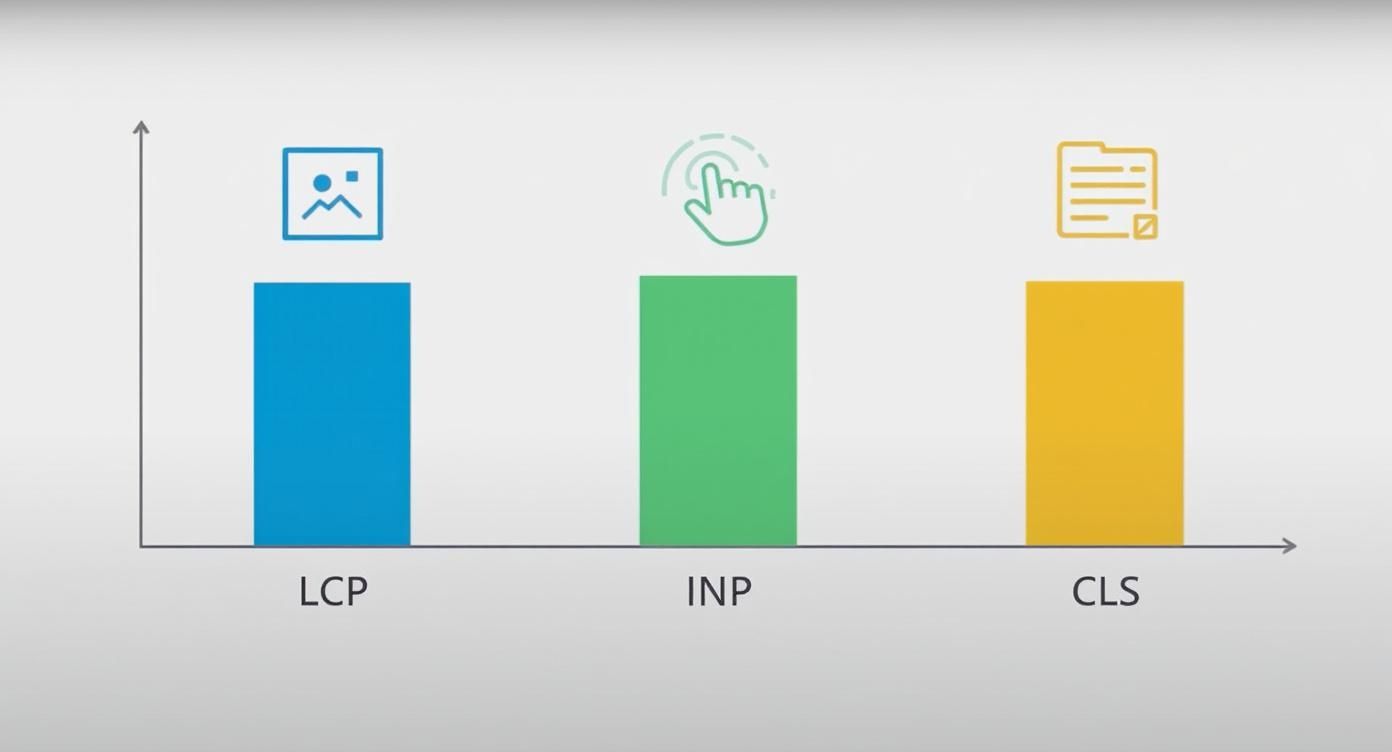
It is clear that each metric – load time (LCP), interactivity (INP) and visual stability (CLS) – covers its own critical area of the mobile user experience.
Targeted strategies for mobile optimization
To offer mobile visitors a top-notch experience, you need to consistently design your site from a mobile perspective. Simply shrinking a desktop site isn't enough.
Mobile optimization means optimizing for the usage context: limited bandwidth, small screens, and the expectation that everything works instantly. Every click counts; every second of waiting time costs potential customers.
Here are three absolutely essential measures for top-notch mobile Core Web Vitals:
- Prioritize the visible area: The most important information and calls to action must be immediately visible, without scrolling. Technically, this means embedding critical CSS directly into the code and loading less important JavaScript later. This makes the "above the fold" area visible instantly.
- Reduce JavaScript to a minimum: Ruthlessly examine which scripts are truly needed on your phone. Many themes and plugins load unnecessary code that slows down interactivity (INP). Techniques like code splitting and selectively loading scripts are key to success here.
- Use responsive images – and do so consistently: Use the
<picture>-element or thesrcset-attribute so that each device only loads the image size it actually needs. A smartphone should never have to download the huge graphic intended for a desktop monitor. Modern image formats such as WebP or AVIF They also offer much better compression and greatly accelerate the LCP.
Frequently asked questions about Google Core Web Vitals
After working our way through the theory, measurement methods, and optimizations, a few persistent practical questions often remain. We'll tackle those now. Here you'll find answers to the most frequently asked questions about... Google Core Web Vitals – short, concise and to the point.
This section is your cheat sheet, reinforcing the most important points from the guide and giving you confidence for the next steps.
How often should I monitor my Core Web Vitals?
A monthly check of the field data has proven to be a solid rule of thumb. Google Search Console This approach has proven successful. This rhythm is ideal for identifying long-term trends and taking timely countermeasures if a value deteriorates – before Google notices and your ranking suffers.
However, there are also times when you need to act immediately. After major changes to your website – be it a complete relaunch, a new feature, or even just a theme change – you should immediately test its performance with lab data (for example, via...). PageSpeed Insights) check. Then keep the field data in the following 28 days They are being watched particularly closely, because they need some time to reflect the new user experiences.
Performance monitoring is not a one-off project, but an ongoing process. Your website is constantly changing – due to new content, technical updates, or even third-party scripts.
Can super Core Web Vitals save bad content?
The answer is clear and unambiguous. No. High-quality, relevant, and truly helpful content is and remains the undisputed king of ranking factors. Nobody will love a page that loads lightning fast but only offers useless information.
Think of Core Web Vitals like the foundation of a house. A shaky foundation (poor Vitals) can bring even the most beautiful villa (excellent content) crashing down because visitors will leave in frustration. Conversely, a perfectly poured foundation alone, without a house on top, won't attract anyone. Technology and content must go hand in hand. One cannot replace the other, but only enhance it.
Why do PageSpeed Insights and Search Console show different values?
Don't worry, this is perfectly normal and even intentional. The reason is quite simple: the tools use two different types of data.
- PageSpeed Insights (PSI): This tool is a hybrid. At the very top you see the Field data, meaning the actual average values of your users from the last 28 days. Scroll down further to find the Lab data, which are measured live under simulated conditions with each new analysis.
- Google Search Console: This report is based on exclusively based on field data. It shows you an unfiltered picture of how real people experience your website in the wild.
Lab data is great for immediately testing changes or getting to the bottom of a specific problem. Field data, on the other hand, reflects reality and is ultimately what counts for Google's ranking.
What is the major difference between INP and the old FID?
The replacement of First Input Delay (FID) with Interaction to Next Paint (INP) in March 2024 was more than just cosmetic. It was a crucial step towards measuring user experience much more comprehensively. The difference is fundamental:
- First Input Delay (FID): Was only the delay in the very first interaction The FID measured – for example, the first click on a button. What happened after that was irrelevant.
- Interaction to Next Paint (INP): This new metric is much more thorough. It measures reaction time. all interactions (Clicks, taps, keystrokes) throughout the entire visit. The slowest interaction is then used as the final INP value.
INP therefore evaluates how responsive a page feels throughout its entire usage time. It's no longer enough to be fast only on the first click – the page must respond smoothly to every action. This makes measuring user experience much closer to reality.
Do you want to ensure that your website not only impresses with its content but also performs flawlessly from a technical standpoint? At LinkITUp We analyze your Core Web Vitals in detail and implement targeted optimizations so that you score points with Google and your users alike. Learn more about our professional SEO services and get started today.