





Listing your business on Google Maps is the most direct way to become visible to local customers. It's no longer an optional marketing measure, but an absolute necessity. It determines whether potential customers even consider you.
Why a Google Maps listing is indispensable today
Customers used to pore over the Yellow Pages. Now they pull out their smartphones. This shift in search behavior has made Google Maps by far the most important digital storefront for local businesses.
When someone searches for "hairdresser nearby" or "Italian restaurant open now," your Google profile determines whether you even exist for them at that crucial moment. Without a well-maintained listing, you are virtually invisible to a huge portion of your target audience.
This invisibility costs you real money. You're missing out on calls, requests for directions, and clicks that lead directly to your website. Every one of these missed contacts is a lost business opportunity. To put this into perspective: think about how often you yourself search for service providers in your area. This perfectly illustrates the point. the relevance of local search queries for every business, regardless of industry.
The numbers speak for themselves.
The data is clear and impressively supports the whole point. Statistics show that 86 % of the people Look up the location of a company on Google Maps.
Almost half of all Google searches – to be precise 46 % – has a local focus. This means that people actively search for products and services in their immediate vicinity. Of these local searches, a whopping [number] lead to... 42 % to a click on one of the results in the Google Maps "Local Pack". These figures prove beyond a doubt: A good ranking in Google Maps has a direct and measurable impact on your customer acquisition.
A missing or poorly maintained Google listing is like running a shop without a sign and with the windows boarded up. You're surrendering the market to the competition without a fight.
More than just a dot on the map
A Google Business Profile is so much more than just a pin on a digital map. It's often the very first digital touchpoint with a potential customer and has a massive influence on their purchasing decision.
Just think of these advantages:
- Enormous visibility: They appear at the exact moment someone is actively searching for what you offer.
- Increased trust: Up-to-date photos, complete information and, of course, good reviews immediately build trust.
- Direct line to the customer: Interested parties can call you with one click, visit your website, or start navigation directly to your location.
This listing is one of the most important pillars of any local marketing strategy. A strong local presence is often the starting point for broader digital visibility, such as that required for a professional Search engine optimization in Cologne This is crucial. Essentially, it's about firmly anchoring your brand in the minds of the local people.
Create your Google Business Profile from scratch
Okay, the theory is covered – now let's get down to brass tacks. Creating a Google Business Profile is thankfully not rocket science. However, it's crucial that you work carefully from the start, as this lays the foundation for your entire local visibility.
Start on the official Google Business Profile page First and foremost, search for your company name. This is an important check, as sometimes an entry already exists, automatically created by Google or even by a customer. If you find such an entry, you can simply "claim" it. Otherwise, you can create a completely new profile in just a few clicks.
Create the basic company data correctly
The absolute heart of your profile is the NAP data: Nname, Adress, PPhone number. Absolute consistency is crucial here. Your company name must be exactly the same as it appears on your website, your door sign, and in other online directories.
Whatever you do, don't try to sneak keywords or your location into the name – that's a clear violation of Google's guidelines and can backfire.
Pay attention to the details: Do you write "Straße" (street) or abbreviate it to "Str."? What is the exact company name as registered in the commercial register? Google is meticulous about this and cross-references this data across the internet to assess your trustworthiness. Any discrepancy weakens this trust and therefore your ranking.
The right category as a strategic lever
Now comes one of the most important, but often underestimated steps: choosing your main category. This tells Google exactly what you do and which search queries you are relevant for.
Be as specific as possible. A general practitioner shouldn't choose "healthcare provider," but rather "general practitioner." This precision is invaluable because it helps Google suggest you to the right people.
In addition to the main category, you should definitely add further subcategories. These describe your other offerings. A pizzeria could have "Restaurant" as its main category and then list "Delivery Service" or "Italian Restaurant" as subcategories. This completes the picture.
This diagram clearly shows how a clean listing leads potential customers directly to you.
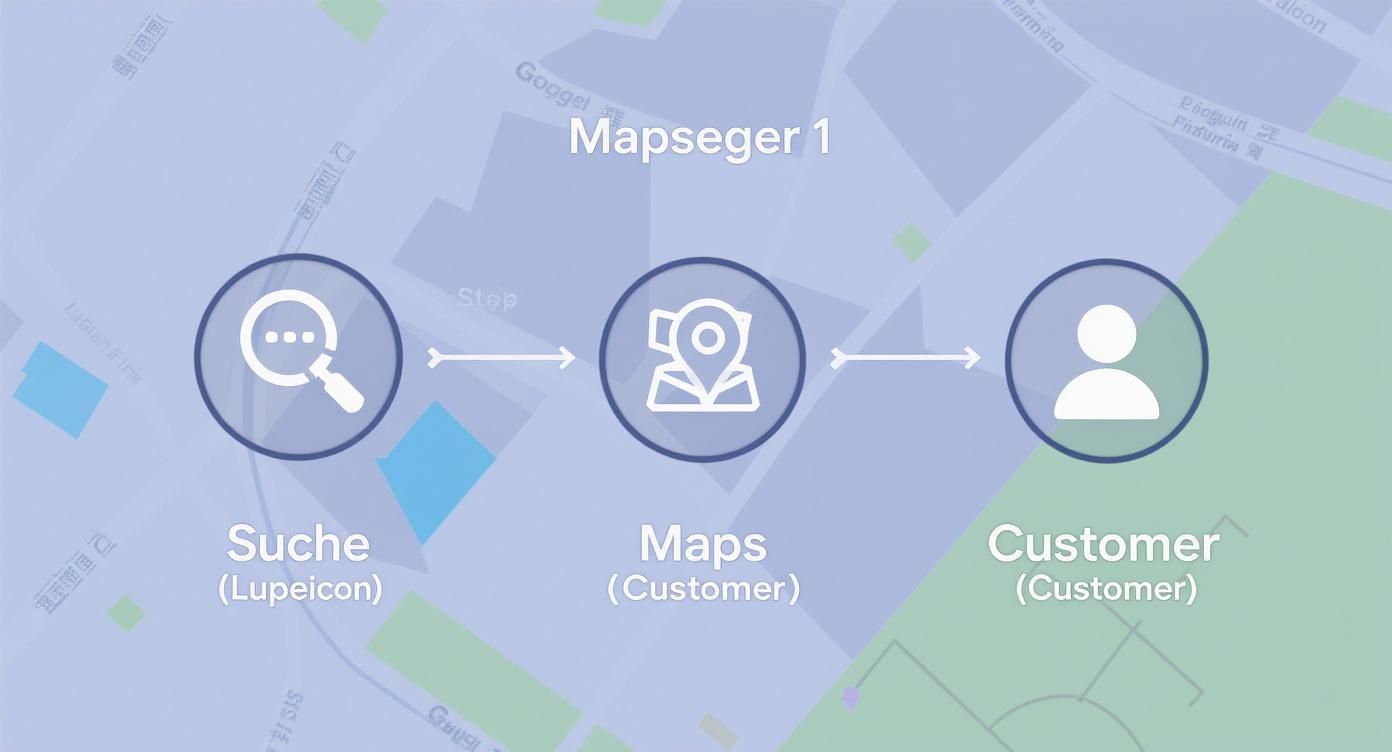
It's immediately clear: The path from the initial search idea to the visit to the store runs directly through visibility in Google Maps.
The verification process as the final hurdle
All your information is in? Great. Now Google just wants to make sure you're really the business owner. This verification step is absolutely necessary and protects your profile from unauthorized access. Google has a few different methods for this:
- Postcard: The classic approach. Google sends you a postcard with a code to your business address. However, this can sometimes take up to... 14 days last.
- Phone call or text message: Some companies allow immediate verification via a call or SMS to the registered number. This is, of course, the fastest way.
- E-mail: This option is quite rare and is only available to a few companies.
- Video verification: This is where it gets interactive. You start a video call with a Google employee and show them your business, company sign, or official documents.
It usually comes down to sending a postcard. So make sure your mailbox is clearly labeled and let your employees know so the important letter doesn't accidentally end up in the recycling bin. Once the code is entered, your profile is fully operational and you can get started with the right optimization.
Here's how to turn your listing into a customer magnet.
The profile is created – great, the first big step is done. But now the real work begins. Optimization makes all the difference between your business being just a pin on a Google Maps map or becoming a real customer magnet.
Think of your listing as a mini-website directly within Google search results. Every missing piece of information is a missed opportunity to convince a potential customer. The following points are your roadmap to unlocking the full potential of your profile.
More than just text: the company description
In the company description you have 750 characters This space is for you to get straight to the point about who you are and what makes you stand out. It's not about just stringing together keywords. It's much better to tell a short story and speak the language of your customers.
Start with what matters most to your customers. What's the biggest benefit you offer? A cozy café, for example, could write: "Your second living room in the heart of the old town. We offer hand-roasted coffee, homemade cakes, and a relaxed atmosphere." This is not only informative but also immediately evokes positive feelings.
Of course, you should also incorporate your most important keywords here. If you're a "bike shop with repair service," then these exact terms must appear in the text. This not only helps those searching, but also sends a clear signal to Google.
Show yourself in your best light: photos and videos
A picture is worth a thousand words – this saying is invaluable here. People want to see who they're dealing with. A profile without any pictures or only with blurry cell phone snapshots quickly appears unprofessional. Take the time to create good photos.
- Exterior shots: Take photos of your business from the outside, ideally in good weather. This way, customers will find you immediately.
- Interior shots: Give them a glimpse into your premises. Show the atmosphere, your team at work.
- Product & service photos: Showcase what you offer – either in action or as a high-quality still life.
- Videos: A short tour (approx. 30 seconds) through your business or a look behind the scenes can work wonders.
The most important thing is to stay consistent. Upload new pictures regularly. This signals to Google that your profile is active and maintained, which can positively impact your ranking.
Details that make the difference
Google offers an incredible number of detailed fields that are often neglected but have a huge impact. These include attributes, products, and services. These helpful tools are essential for refining your offerings and attracting the right customers.
The strategic use of attributes like "Wi-Fi available," "barrier-free access," or "outdoor seating" is not a nice extra, but a targeted measure. It ensures that your business is even considered in specific search queries like "café with Wi-Fi.".
Use the "Products" and "Services" sections to showcase your complete portfolio. Add a brief description and, if possible, a price to each service. This creates transparency and answers many customer questions in advance.
Such a detailed profile can improve the user experience so significantly that it directly increases inquiries. To further amplify this effect, it's worth looking at professional methods for... Conversion rate optimization, which go hand in hand with a strong Google profile.
Fill out these elements carefully to transform your listing from a simple business card into a rich source of information. You'll guide potential customers and build trust even before the first personal contact.
Checklist for a perfectly optimized Google Business Profile
To help you keep track, we've summarized the most important points in a handy checklist. Use this table to ensure you don't miss out on any potential.
| Optimization area | Important action | Benefits for your ranking |
|---|---|---|
| Key data | Keep name, address, telephone number (NAP data) 100 % correct and consistent. | Strengthens Google's trust in the authenticity of your business. |
| Categories | Select a precise main category and relevant subcategories. | This is crucial in determining which search queries you will appear in. |
| Description | Meaningful text (max. 750 characters) with natural keywords. | It conveys your USP (Unique Selling Proposition) and improves relevance. |
| Photos & Videos | Regularly updated high-quality and current pictures of the exterior, interior, team, and products. | It increases dwell time, builds trust, and is positively rated by Google. |
| Opening hours | Always keep it up to date, including special opening hours for public holidays. | Prevents customer frustration and negative reviews. |
| Attribute | Select all applicable features (e.g., Wi-Fi, parking). | Helps with filtered and specific searches, e.g., "restaurant with terrace". |
| Services/Products | Detailed listing of your offer with description and prices. | It creates transparency and pre-qualifies inquiries. |
| Google Posts | Regularly post news, offers, or events as articles. | Signals activity and keeps your profile up-to-date; increases visibility. |
| Questions & Answers | Proactively ask and answer frequently asked customer questions yourself. | Build a useful FAQ section and save yourself time. |
| Reviews | Actively request new reviews and respond to each individual review. | One of the strongest ranking factors and an important form of social proof. |
This checklist is your roadmap. Work through the points one by one, and you'll see how your Google Business Profile gains strength and becomes an invaluable tool for your local marketing.
Leveraging the strategic power of customer reviews
Customer reviews are essentially the currency used to trade trust online. For Google, they are an extremely powerful signal: they show how relevant and popular your business truly is. A steady stream of positive reviews can catapult your profile to the top of local search results. Conversely, a lack of reviews or predominantly negative ones can quickly make you invisible.

So the question is not whether, rather How You actively generate reviews. The trick is to make it as easy as possible for your customers. Let's be honest: very few people will find their way to your profile to leave a review on their own – even if they were extremely satisfied. You have to pave the way for them.
Proactively ask for authentic feedback
The perfect moment to ask for a review is right after a positive experience. A customer has just made a purchase and is clearly delighted? Perfect. You've just completed a great consultation? Seize the opportunity. Most importantly: Never buy reviews or offer discounts in return. This is a clear violation of Google's guidelines and can backfire.
Here are a few proven methods that are completely compliant with the rules:
- In a personal conversation: Ask satisfied customers directly and politely for their honest opinion at the end of a conversation.
- QR code on site: A small display at the checkout or on the table with a QR code that leads directly to the review page works wonders.
- Link in the email signature: Include a direct link in your daily email communication. It's that simple, yet so effective.
- Follow-up email: After a purchase or service, send a friendly email requesting feedback.
A little tip from practical experience: It's not about aggressively begging for five-star ratings. Instead, ask for honest feedback. This comes across as much more authentic and at the same time gives you valuable insights into where you can still improve.
Handling negative feedback with composure
Sooner or later, every business experiences it: a negative review. It's not the end of the world, but a real opportunity. Your reaction to it often tells potential customers more about you than ten positive reviews combined. Ignoring it is the worst possible option.
A prompt, professional, and solution-oriented response demonstrates that you take feedback seriously. Thank them for their feedback, apologize for the negative experience, and offer to resolve the issue personally. This way, you might not only win back a dissatisfied customer but also show everyone reading your message that customer service is truly a priority for you.
Actively managing your online reputation is a crucial factor for long-term success. Anyone wanting to develop a foolproof strategy should delve deeper into professional resources. Online Reputation Management deal with it.
Typical pitfalls and how to confidently navigate around them.
Even with the best preparation, something can go wrong with a Google Business listing. But don't panic – there are proven solutions for the most common problems that will quickly get everything back on track.
A classic problem that repeatedly causes frustration is user-suggested changes. Suddenly, your opening hours are incorrect, or even your location has changed. While Google allows these "edits" to keep maps up-to-date, mistakes can easily creep in. Therefore, check your profile regularly and reject incorrect suggestions immediately. When Google sees that you actively maintain your profile, it strengthens your authority as the owner.
The profile has been blocked – what now?
There's hardly anything more frustrating than a suddenly suspended Google Business Profile. This usually happens when Google suspects a violation of its own guidelines. This can be the case with too many keywords in the company name or a suspicious-looking address. The important thing now is to stay calm and submit a reinstatement request.
Here you need to explain objectively why the suspension is a mistake. It's best to attach supporting documents, such as your business registration or a photo of your company sign. In most cases, this will resolve the issue within a few days.
Another annoying issue is duplicate listings. These often appear unnoticed, but they split your customer reviews and thus your visibility. Specifically search for potential duplicates of your business and request that Google Support merge or delete them.
If the verification simply won't work
Sometimes the postcard with the confirmation code seems to vanish into thin air, or the digital process freezes. Please wait for the specified time when receiving the postcard. 14 working days Please wait until you have completed the initial search before requesting a new one. If the second attempt also fails, there is no alternative to contacting Google Support directly.
To speed up the process, you should ideally have some documents ready:
- A photo of your storefront where your name and address are clearly visible.
- A few pictures of your interior.
- Proof of address, for example a recent electricity or water bill.
With this preparation, things usually go much faster. It's clear that Google places great importance on having accurate local data. This is also demonstrated by the announcement from November 2024, in which Google announced investments in 5.5 billion euros in German data centers and cloud regions by 2028. This enormous commitment underscores how valuable verified, local business data is for the entire system. More on this Google's investments in Germany If you are interested, you can read more here.
Ultimately, patience and a systematic approach make all the difference. This is how you overcome these hurdles and successfully launch your profile.
Your Google listing: Answers to frequently asked questions
In the day-to-day management of Google Business profiles, the same stumbling blocks and questions repeatedly arise. Whether you're just starting out or optimizing your profile – here you'll find practical answers to the issues our customers most frequently ask.
Does a Google Business profile really cost nothing?
In short: Yes, the entry is 100 % free. Creating, verifying, and maintaining your profile won't cost you a cent. Google earns its money through paid advertising (Google Ads), which appear in the vicinity of the search results, not via the organic company listings themselves.
A well-maintained profile is essentially free advertising with a huge reach. A word of caution: Be skeptical if you receive calls or emails from companies promising you better search engine rankings for a fee. These providers usually have no direct affiliation with Google.
How long will I have to wait for verification?
It depends entirely on the method Google offers. The quickest way is via phone call or text message – often the matter is resolved in just a few minutes. Unfortunately, this option isn't available to every company.
The classic method remains the postcard with the confirmation code. Some patience is required here. Realistically, expect a waiting time of up to 14 working days. So don't get nervous if the letter isn't in your mailbox the very next day. That's perfectly normal.
What if the postcard simply doesn't arrive?
Don't panic, this happens. If you haven't received anything from Google after two weeks, it's often due to something minor. The most common reason is an inaccurate or incomplete address. So, the very first thing you should do is check if there's a typo in your profile.
If the address is correct, simply request a new postcard in the dashboard. If the second attempt also fails, you will need to contact Google Support. It's best to have some supporting documents ready, such as a photo of your business sign on the door or a copy of your business registration. This will significantly speed up the process.
A tip that has saved a lot of trouble: Let your team know! Inform everyone who opens your mail that an important delivery from Google is expected. This way, the unassuming letter won't accidentally end up in the recycling bin because it's mistaken for junk mail.
What is the best way to manage multiple locations?
If you operate multiple branches, a clear separation is crucial. Create a separate Google Business profile for each location. Under no circumstances should you try to cram multiple addresses into a single profile.
It becomes really practical from ten locations onwards: Google offers a solution for this. Bulk management Yes. You can enter the master data for all your branches into a table and upload it centrally. This saves an incredible amount of time on maintenance. Nevertheless, each location remains an independent entry on the map, collects its own ratings, and has its own performance.
When will I see the first results of my optimization?
The question that everyone is naturally eager to know. The good news: Initial positive signs, such as more calls via the profile or an increase in route planning, often appear quite quickly. a few weeks after a thorough optimization and the first new reviews.
But let's not kid ourselves: A stable top ranking in the "Local Pack"—that is, the three prominent map entries in Google search results—is a marathon, not a sprint. The key lies in continuous maintenance. Regular posts, new photos, and consistently requesting customer reviews show Google that your business is active and relevant. For noticeable and, above all, sustainable success, plan for a timeframe of... three to six months a.
Do you want to ensure that your business is not only found on Google Maps, but also optimally positioned to attract new customers? The team at LinkITUp Brings over 15 years of SEO experience to significantly improve your local visibility. Discover more on https://seobuchen.com/, how we can unlock the full potential of your location with tailored strategies.